Lunduke
News • Science & Tech
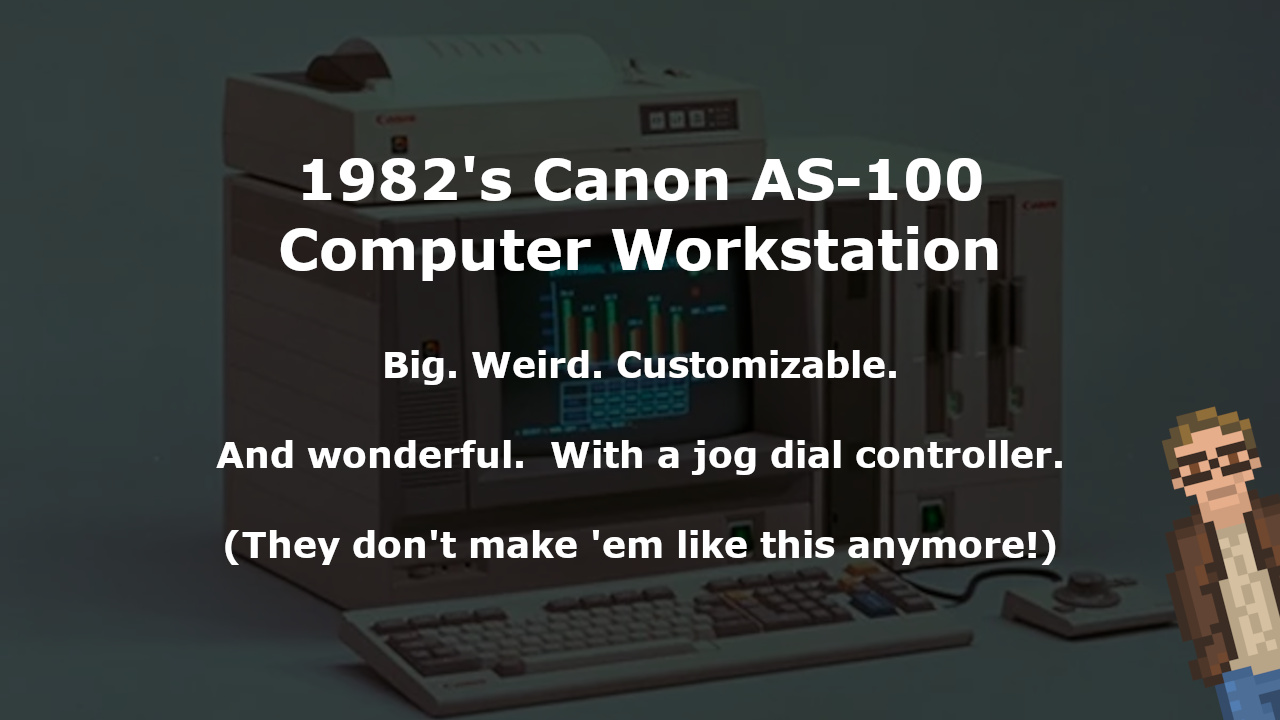
1982's Canon AS-100 Computer Workstation
Big. Weird. Customizable. And wonderful. With a jog dial controller.
August 26, 2023
post photo preview

In 1982, Canon released the AS-100 computer. A fascinating — and awesome looking — computer workstation that was aimed squarely at the business market.

Let’s take a close look at the AS-100 — the second computer released by the famous printer company. A weird, wonderful, extraordinarily customizable machine capable of running both CP/M and MS-DOS… but which was not exactly IBM PC Compatible.
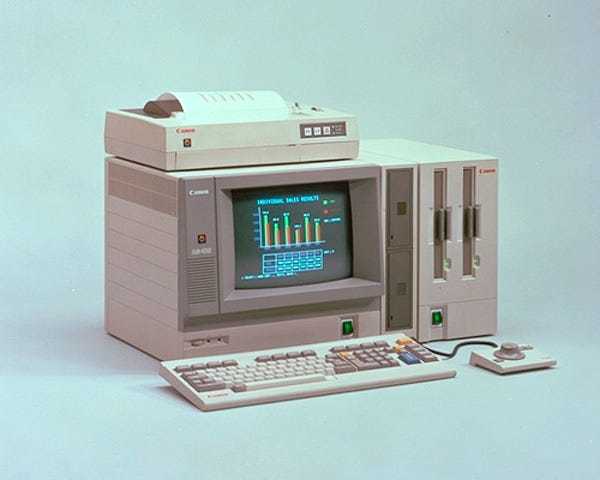
Ain’t she a beauty?

So, the Canon AS-100 is not an IBM Compatible system (at least… not completely). But what sort of specs did that little beast have?

  • Intel 8088 CPU (with an optional 8087 math co-processor)

  • 128 KB RAM (expandable to 512 KB using a 384 KB expantion)

  • An 8 color (with a full palette of 27 colors), 640x400 display (with a cheaper, black and white monitor option available)

  • Capable of running both MS-DOS and CP/M (though not compatible with all DOS software that relied on IBM PC Compatible hardware)

Nothing too crazy here — though definitely pretty beefy for 1982!

But look at that picture up there. Look at the “mouse”. Here. Let me zoom in for you. ENHANCE!
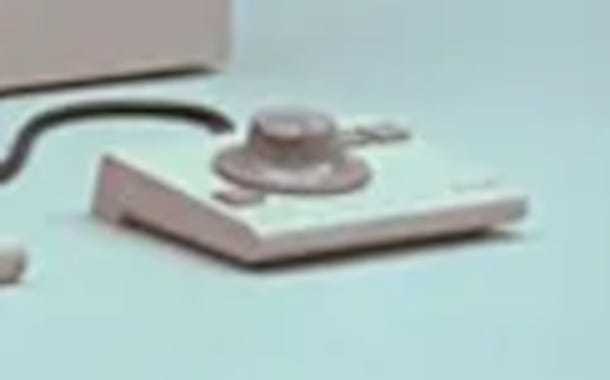
Well, what do we have here? That’s not a mouse at all! It’s a jog dialer! A little wheel you can turn (not unlike old Atari 2600 paddle controllers). This was called the “A-1100 Pointing Device”.

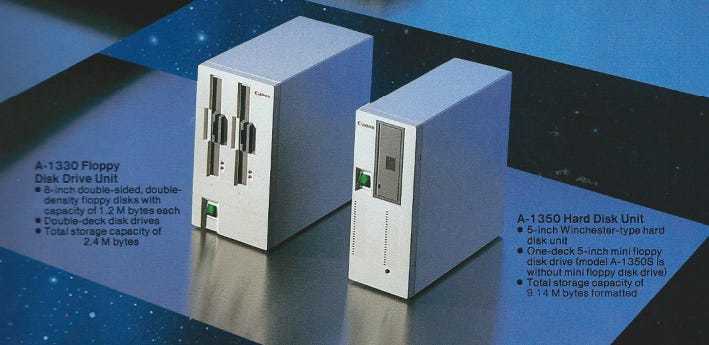
The storage options were equally fantastic and unusual. Let’s take a closer look. ENHANCE!
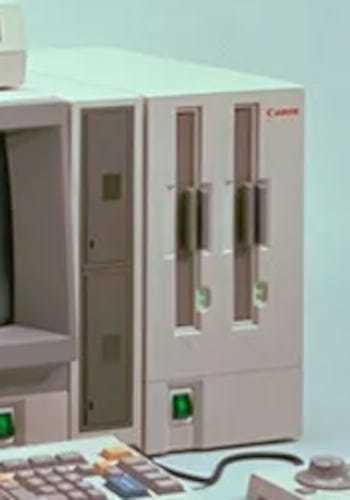
There were a whole host of different storage options for the AS-100:

  • 5 1/4” floppy drives (640 KB, Double Sided, Double Density).

    • You could purchase an expansion unit with either one floppy drive… or two.

  • 8” floppy drives (1.2 MB).

    • What’s wild… is you could purchase an expansion unit with a single 8” drive… or two 8” drives… or three 8” drives… or, I kid you not, four 8” drives in a single (huge) chasis.

  • A Winchester Hard Disk (8.2 MB)

And you could combine them together. Which means you could have a LOT of storage drives on this badboy.

Oh, and get this. The full rig weighed a whopping 66 lbs (give or take, depending on which options you selected).

All of the pictures showcased either a Canon Daisy Wheel or Ink Jet printer.


Because this is Canon. And they sell printers. But, technically, you didn’t need to have a printer connected.

The Canon Software

What many people forget is that Canon made PC software — that they either shipped with or sold for the AS-100 — back then.

This included Canobrain (which was a database package with color charting), CanoCalc, CanoGraph, CanoWriter, and CanoBasic. Cano-Everything. All very business-oriented packages. This was, after all, a very professional computer.
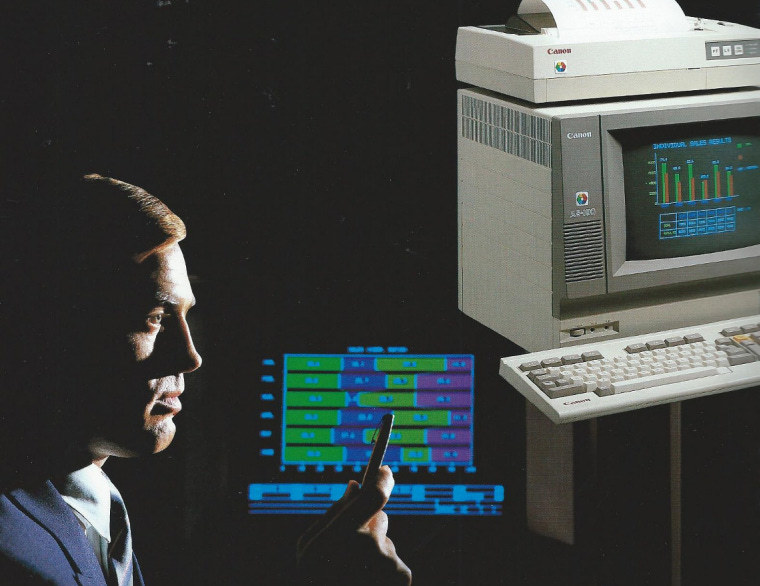
CanoBrain screenshots courtesy the AS-100 flyer

How much did a standard configuration with a color screen set you back? Over $4,000 USD. And that’s 1982 dollars.

In the end, the Canon AS-100 was not a huge seller — likely due to the fact that it was not “IBM PC Compatible” and, thus, had compatibility problems with some software. Plus it was expensive. And huge. Also heavy.

But, gosh darn it, it’s still an impressive, gorgeous machine. One that I would not mind having on my desk.

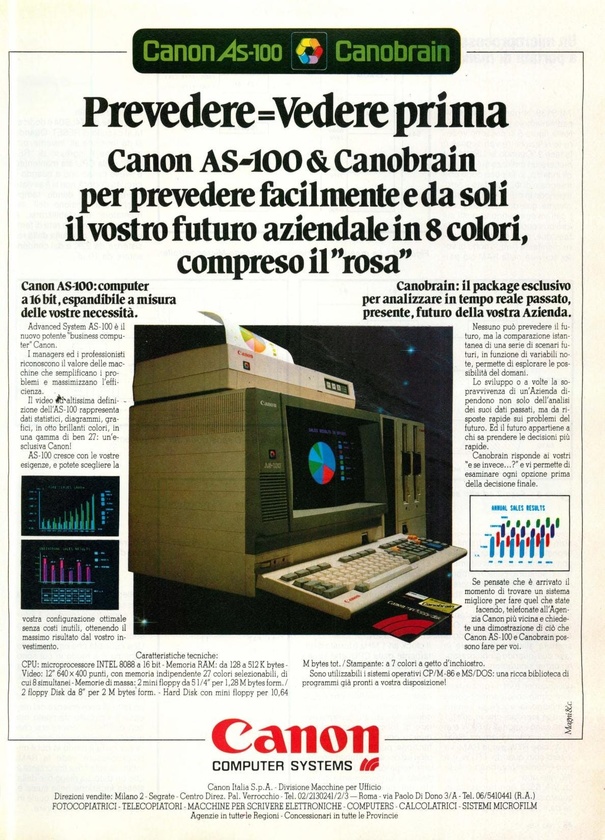
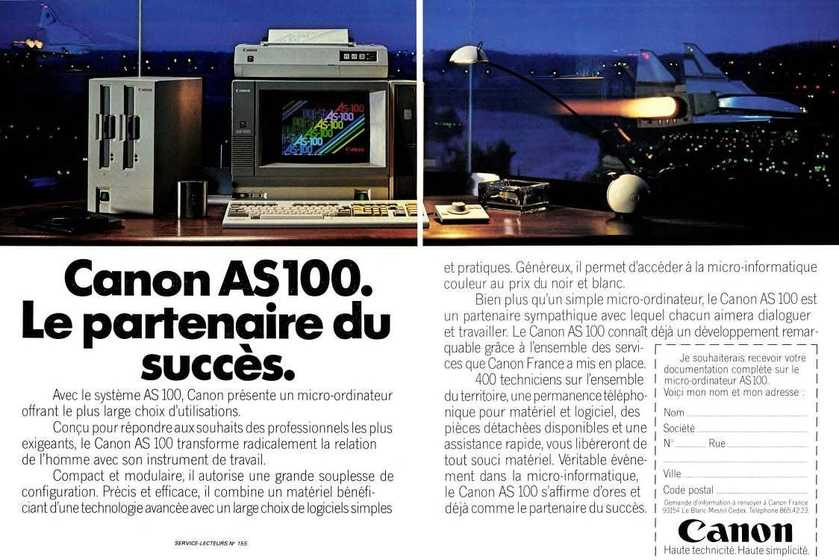
For your viewing pleasure, here is a sampling of magazine advertisements for the AS-100. Enjoy the early 1980s goodness.
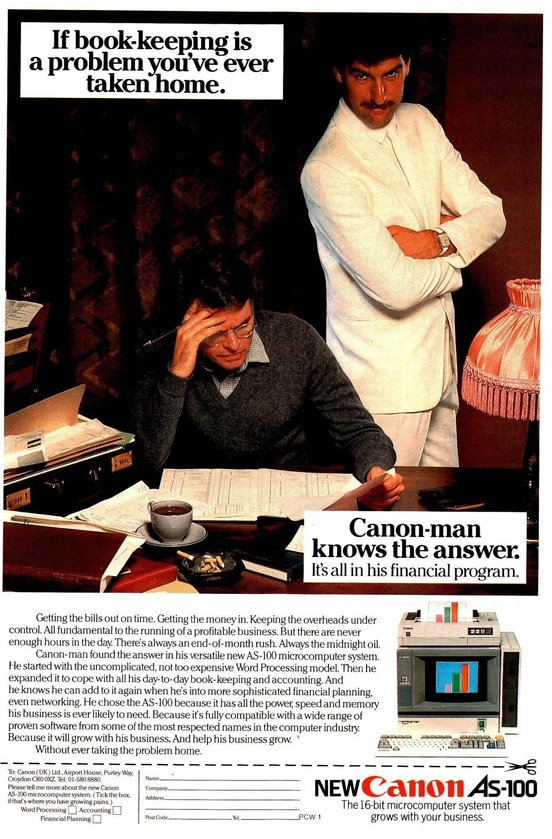
From “Personal Computer World”, December 1982


From Micro Systèmes, May 1983


From Bit Magazine, June 1983
 
community logo
Join the Lunduke Community
To read more articles like this, sign up and join my community today
7
What else you may like…
Videos
Podcasts
Posts
Articles
Linux App Store Bans Software Touched by AI in Any Way

Flathub Team: "Applications containing Al-generated or Al-assisted code, documentation, or other content are not allowed."

Massively Discounted Lifetime Subs Through June:
https://lunduke.substack.com/p/50-off-yearly-and-massively-discounted

More from The Lunduke Journal:
https://lunduke.com/

00:14:04
Microsoft to Brick Office 2019 for Mac

On July 13th, Microsoft plans to intentionally disable all purchased copies of Office 2019 for Mac. Even though these were "permanent" licenses.

Massively Discounted Lifetime Subs Through June:
https://lunduke.substack.com/p/50-off-yearly-and-massively-discounted

More from The Lunduke Journal:
https://lunduke.com/

00:14:14
Rust Re-Write of GNU CoreUtils Has New, Even Buggier Release

The 0.9 release of Uutils (the Rust clone of GNU CoreUtils shipped by Ubuntu), is now failing more tests, with more bugs, than the previous release.

Massively Discounted Lifetime Subs Through June:
https://lunduke.substack.com/p/50-off-yearly-and-massively-discounted

More from The Lunduke Journal:
https://lunduke.com/

00:20:07
November 22, 2023
The futility of Ad-Blockers

Ads are filling the entirety of the Web -- websites, podcasts, YouTube videos, etc. -- at an increasing rate. Prices for those ad placements are plummeting. Consumers are desperate to use ad-blockers to make the web palatable. Google (and others) are desperate to break and block ad-blockers. All of which results in... more ads and lower pay for creators.

It's a fascinatingly annoying cycle. And there's only one viable way out of it.

Looking for the Podcast RSS feed or other links? Check here:
https://lunduke.locals.com/post/4619051/lunduke-journal-link-central-tm

Give the gift of The Lunduke Journal:
https://lunduke.locals.com/post/4898317/give-the-gift-of-the-lunduke-journal

The futility of Ad-Blockers
November 21, 2023
openSUSE says "No Lunduke allowed!"

Those in power with openSUSE make it clear they will not allow me anywhere near anything related to the openSUSE project. Ever. For any reason.

Well, that settles that, then! Guess I won't be contributing to openSUSE! 🤣

Looking for the Podcast RSS feed or other links?
https://lunduke.locals.com/post/4619051/lunduke-journal-link-central-tm

Give the gift of The Lunduke Journal:
https://lunduke.locals.com/post/4898317/give-the-gift-of-the-lunduke-journal

openSUSE says "No Lunduke allowed!"
September 13, 2023
"Andreas Kling creator of Serenity OS & Ladybird Web Browser" - Lunduke’s Big Tech Show - September 13th, 2023 - Ep 044

This episode is free for all to enjoy and share.

Be sure to subscribe here at Lunduke.Locals.com to get all shows & articles (including interviews with other amazing nerds).

"Andreas Kling creator of Serenity OS & Ladybird Web Browser" - Lunduke’s Big Tech Show - September 13th, 2023 - Ep 044

It's now available!!!!

"Open Source Starts Here: Lessons Learned From Building Linux Clubs for Students" from the Open Source Summit North America 2026.

Watch it and share it with all your FOSS friends!

17 hours ago

The Joy of Leaving the Cloud

Continuing to tell stories of joy in Linux and OSS land to counter the prevalent doom scrolling. I have been quite happy having transitioned off my SSDNodes.com hosted VPS, replacing it with Linux Mint Beelink box. I haven’t missed my VPS in the slightest, and now my local server is much more powerful and easier to develop and deploy too.

First Cloudflare tunnels allows me to securely share apps and web sites I develop without poking holes in my home network. It’s still a pain in the but to set up, but my “fake people staff” have taken almost all of that pain away. I say “fake people staff” to no derail this post which isn’t about fake people at all.

Synchthing is a wonderful OSS that does the one thing I really wanted most from NextCloud. NextCloud is wonderful in its own way but is finicky over time, IMHO. Once I set up my Mac mini as my hub, and the rest of my machines sync with it, it’s easy and wonderful. I can develop on any of my machines ...

From X.com post with video one year ago ... link-to-link-to-X-to-search-to-found:

[June 2025?] Brendan Eich Interview: The Internet Has Changed. Privacy Was Left Behind. - Naomi Brockwell TV (YouTube)

The "Windows 1.0" Lunduke Lifetime Wall is here!

Two awesome tidbits:

  1. The 7th Lifetime Subscriber Wall (aka “The Solaris Wall”) is full! No room for any more names! You can see the final version on the bottom of Lunduke.com (and at the end of new shows).

  2. The 8th Lifetime Wall will make its debut on Monday! The retro computing platform chosen for Wall number 8 will be… Windows 1.0!

If you would like to see your name immortalized in a screenshot of the very first version of Windows, from 1985, displayed on both Lunduke.com & at the end of all Lunduke Journal shows (you know you do):

Support the Lunduke Journal… and, at the same time, have your name immortalized in a screenshot of the operating system with (arguably) the worst color scheme in human history.

It’s a win-win.


-Lunduke

Read full Article
post photo preview
Lifetime "Solaris" Wall almost full!

Just a quick heads up that the 7th “Lunduke Journal Lifetime Subscriber Wall”, aka “The Solaris Wall”, is almost full!

The Solaris Wall has enough space for maybe 6 or 7 more names (depending on name length)… before we lock it down and move on to Wall Number 8 (which will be another retro computing platform).

Hard to say how long until the Solaris Wall is full… but no more than a few days. These things fill up fast.

First come, first served.

Huge thank you to every subscriber. The Lunduke Journal wouldn’t be possible without you. You rule.

-Lunduke

 
Read full Article
Last call for the "Amiga" Lifetime Subscriber Wall. It's almost full!

Holy smokes, that was fast.

The 6th Lunduke Journal Lifetime Subscriber Wall (aka the “Amiga OS 3.1” Wall) was introduced… what… a week ago?

I kid you not, the darn thing is already almost full! I was wildly unprepared for how popular this would be!

There’s enough space left for maybe 5 or 6 more names. Tops. Then I’ve gotta declare “Wall 6 (Amiga) is Full” and start Wall Number 7!

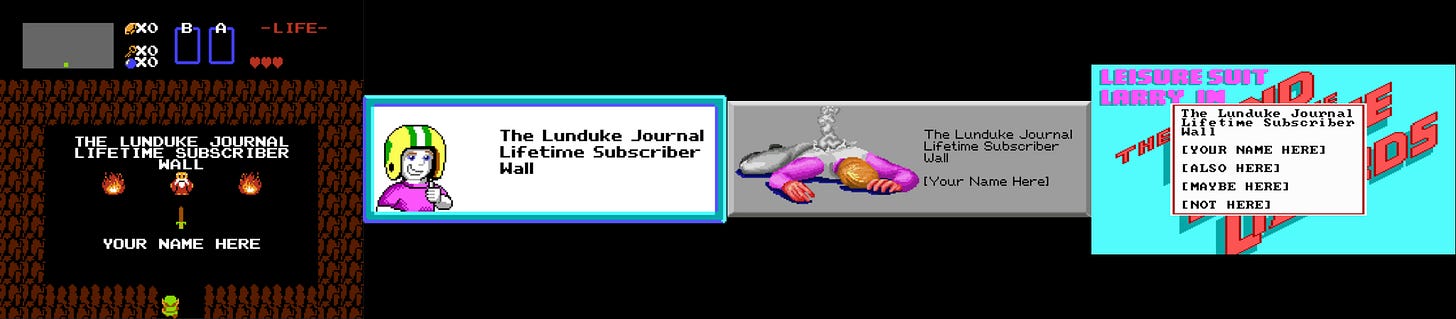
Here’s what all of the Lifetime Subscriber Walls look like (each shown at the end of every Lunduke Journal video):


If you want to get onto the Lifetime Subscriber Wall (and have any chance of making it onto the Amiga Wall before it’s full) here’s what you need to do (and do it quickly):

  1. Grab a Lifetime Subscription to The Lunduke Journal (if you don’t already have one).

    1. A Lifetime Sub includes all the standard perks (plus a few) and can be picked up via Locals, Substack, or Bitcoin (whichever you prefer).

  2. Email “bryan at lunduke.com” and let me know how you would like your name displayed (“Joe A.”, “Joseph Arnold”, “JoeyPants”, “SirJJMcManly”, etc.)

It’s first come, first served.

If you’ve already emailed me about being added to the wall, your spot is secured.

For the rest of you: Chop chop. At the current rate, I would be very surprised if the “Amiga Wall” wasn’t full by some time this weekend.

“Lifetime Wall 7” will be unveiled after the final name is added to the Amiga Wall. And, yes, it will be a different (awesome) retro computing platform.

As always, a huge thank you to every subscriber to The Lunduke Journal. Absolutely none of this would be possible without your support.

-Lunduke

Read full Article
See More
Available on mobile and TV devices
google store google store app store app store
google store google store app tv store app tv store amazon store amazon store roku store roku store
Powered by Locals