

Lunduke
News • Science & Tech
Make Computers Fun Again - Linux, UNIX, Alternative Operating Systems, Computer History, and Retro Computing. Also dad jokes.
Interested? Want to learn more about the community?
December 09, 2022

Yesterday, I left off talking about the TI-85, the second Texas Instruments graphing calculators.
The 85 had a huge problem, it was designed for college level calculus. It could be used to solve polynomial expressions. This was a problem for highschool algebra classes as well as the SATs. (I can't find any records of when the policy changed, but I know that initially, the TI-85 was banned from use on the SATs for this reason.)

What was TI's response? The TI-82 in 1993, less than a year after the TI-85.
This new calculator had many of the features people loved about the 85, like the ability to use the link cables, and a backup battery, but TI cut the functionality down to something closer to the 81, then cut the memory in order to bring down the price.
This made the TI-82 the most sought after calculator for highschool classrooms. It also makes it probably the most popular of all the models sold in the 90s.

The TI-82 was so successful, that Texas Instruments didn't release any upgrade for 3 years. But there were other models in the mean time.

In 1995, Texas Instfuments released 2 new graphing calculators taking the features of the previous models to the extreme.

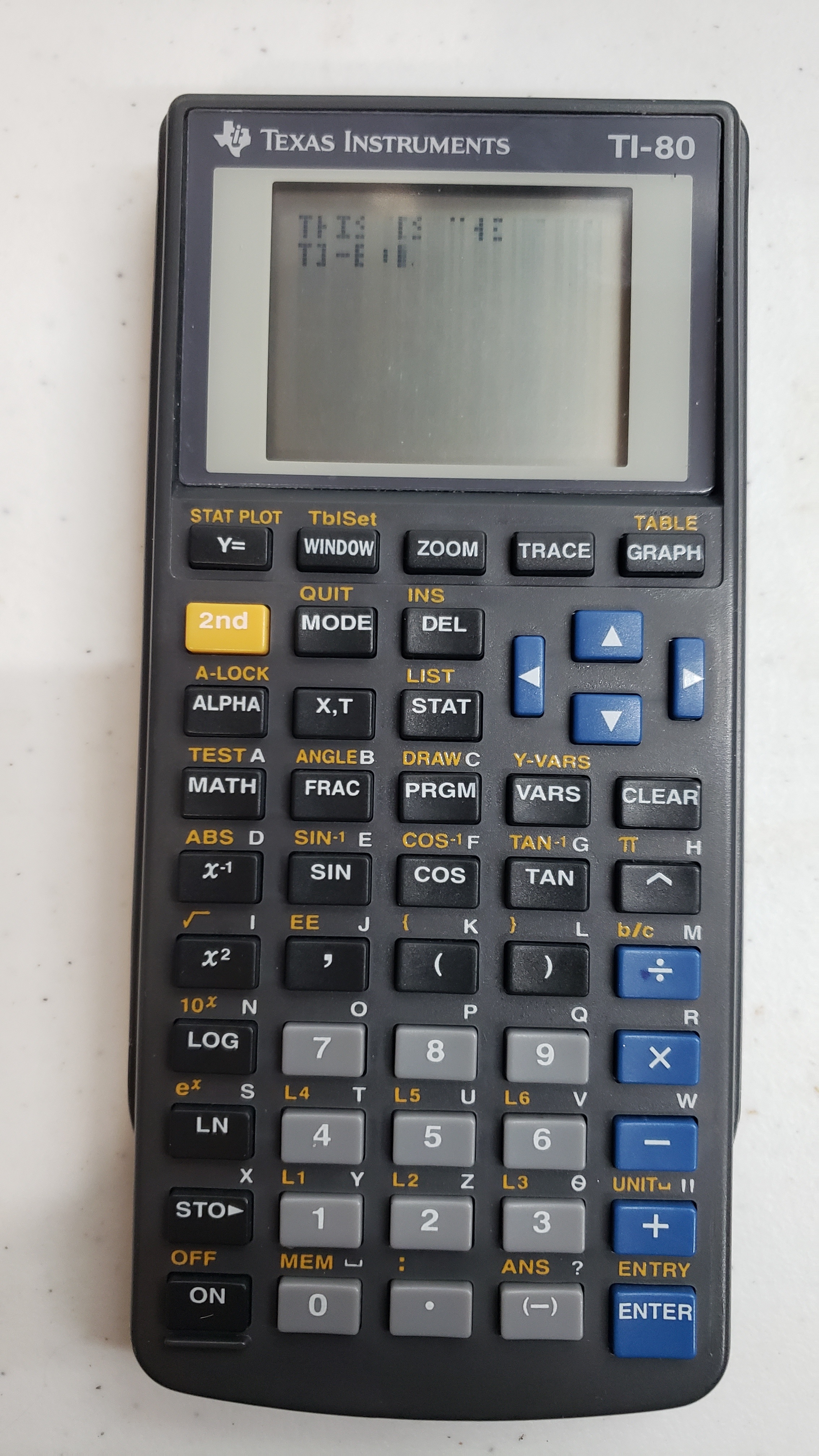
The TI-80 was a cut down version of the original 81 but much smaller and capable of running on 2 coin-cell batteries.

The TI-92 was the biggest beast of them all sporting more pixels, more memory, and a full qwerty keyboard. It also used a Motorola 6800 processor at 10hz. So it was basically a Macintosh in your pocket.

While the 80 basically flopped, the 92 did really well despite the fact that it was banned from use on any national exams due to that keyboard. And it remains banned for that reason today. Despite that, college level calculus classes loved it due to its inclusion of CAS (Computer Algebra System, basically it can do everything you learned in Algebra). (I will definitely be talking more about this one over the weekend.)

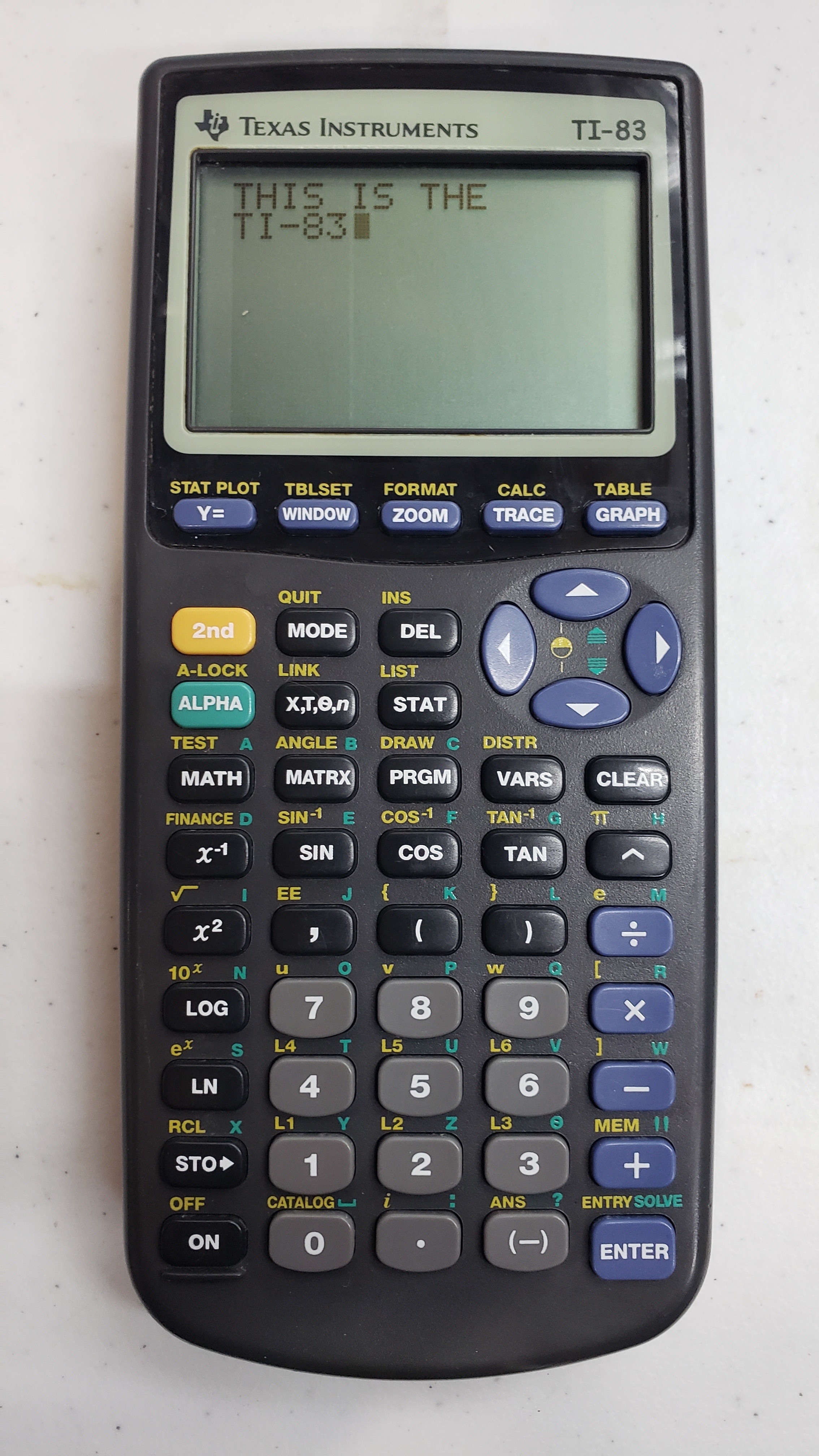
In 1996, Texas Instruments finally released a successor to the TI-82, the TI-83.
Functionally the only changes were a much better screen (although at the same resolution) and a little more memory for programs (4k to be exact). The change that got most people to switch, was the new design of the case. Like Apple, Texas Instruments decided form was more important to consumers than function. (More on the 83 this week as well. This was my highschool baby.)

1996 also saw a small improvement in the 92 which was really just them fixing bugs in the firmware.

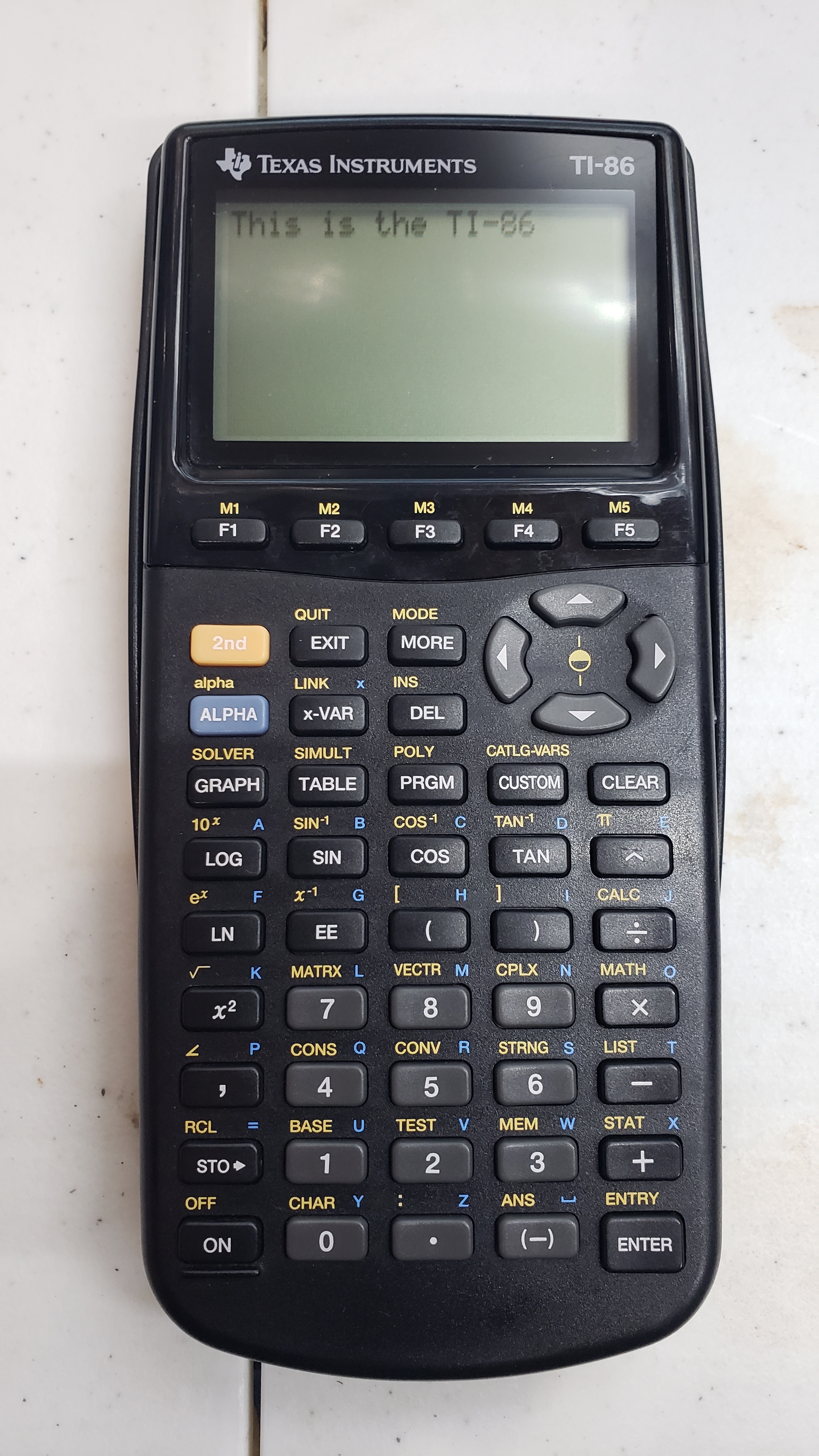
In 1997 a successor to the TI-85 was released. This was mostly the same as the 85, but with the same form factor as the 83 and the newer screen. (BTW, did I ever mention that the 85 had a wider screen?) But the big improvement, the new TI-86 had 128kb of memory while still using a z80 processor. (Yes, at this point in the story, the z80 is nearly 20 years old and still in use.)
The TI-86 was a huge success in colleges, (and it looks like the SAT board got over the whole polynomial equation thing by this point.) However, highschools still avoided it because they felt it allowed Algebra students to cheat on tests. So sales were not as good as TI had hoped.

In 1998 Texas Instruments released the TI-89. This was nearly identical to the 92, but in the same form factor as the 83, and 86. This new model nearly killed the 86. For only $10 more, it had 2x the memory, higher resolution, faster processor, CAS, and it was allowed for use on the SATs. Again, highschools avoided it, but by this point every college student had grown up using graphing calculators and colleges were dependent on them.

Also in 1998, a few revisions were made to the TI-83 and some new cheaper calculators were released. The TI-83 Plus was the last model released in the 90s and ends our history here.

To date, according to Texas Instruments, the TI-84 Plus, released in 2004 and still available today, has been the best selling of any model. But, there is nothing retro about something you can still buy brand new at Walmart.

All of these calculators, except the 83, were purchased from local thrift stores for less than $5 each since Lunduke announced handheld week.

Interested? Want to learn more about the community?
What else you may like…
Videos
Podcasts
Posts
Articles
XLibre 25.1 - The Future of X11 Adds New Platforms, New Features

The latest release of the Xorg fork, clocking in at over 1,500 commits, adds support for FreeBSD, NetBSD, Win32, & Dragonfly BSD. Plus systemd-free seat management & more.

More from The Lunduke Journal:
https://lunduke.com/

00:21:03
December 18, 2025
NeoFetch But in Rust and More Gay

HyFetch, a Rust re-write of the discontinued NeoFetch, asks users to choose their flag (Trans, GenderFluid, FemBoy, etc.) at first launch. Becomes defacto on several Linux distros.

More from The Lunduke Journal:
https://lunduke.com/

00:22:28
December 17, 2025
Memory Corruption Vulnerability in Linux "Memory Safe" Rust Code

Rust programmers re-wrote a portion of the Linux kernel in Rust. That Rust code had a crashing vulnerability in an "unsafe" chunk of code... which Linux is littered with.

More from The Lunduke Journal:
https://lunduke.com/

00:18:23
November 22, 2023
The futility of Ad-Blockers

Ads are filling the entirety of the Web -- websites, podcasts, YouTube videos, etc. -- at an increasing rate. Prices for those ad placements are plummeting. Consumers are desperate to use ad-blockers to make the web palatable. Google (and others) are desperate to break and block ad-blockers. All of which results in... more ads and lower pay for creators.

It's a fascinatingly annoying cycle. And there's only one viable way out of it.

Looking for the Podcast RSS feed or other links? Check here:
https://lunduke.locals.com/post/4619051/lunduke-journal-link-central-tm

Give the gift of The Lunduke Journal:
https://lunduke.locals.com/post/4898317/give-the-gift-of-the-lunduke-journal

The futility of Ad-Blockers
November 21, 2023
openSUSE says "No Lunduke allowed!"

Those in power with openSUSE make it clear they will not allow me anywhere near anything related to the openSUSE project. Ever. For any reason.

Well, that settles that, then! Guess I won't be contributing to openSUSE! 🤣

Looking for the Podcast RSS feed or other links?
https://lunduke.locals.com/post/4619051/lunduke-journal-link-central-tm

Give the gift of The Lunduke Journal:
https://lunduke.locals.com/post/4898317/give-the-gift-of-the-lunduke-journal

openSUSE says "No Lunduke allowed!"
September 13, 2023
"Andreas Kling creator of Serenity OS & Ladybird Web Browser" - Lunduke’s Big Tech Show - September 13th, 2023 - Ep 044

This episode is free for all to enjoy and share.

Be sure to subscribe here at Lunduke.Locals.com to get all shows & articles (including interviews with other amazing nerds).

"Andreas Kling creator of Serenity OS & Ladybird Web Browser" - Lunduke’s Big Tech Show - September 13th, 2023 - Ep 044
December 21, 2025
Lunduke's Nerdy Q&A, Lifetime Sub for $89

Two quick tidbits on this glorious Sunday:

Reminder: $89 Lifetime Subscriptions

Lifetime Subscriptions to The Lunduke Journal are currently discounted to $89. For life. Which is… insane. That’s less than 1/3rd of the regular price.

Monthly and Yearly subscriptions are 50% off. Which is also pretty darned snazzy.

Submit Questions for Lunduke’s Nerdy Q&A!

On Tuesday I will be recording a long-overdue episode of “Lunduke’s Nerdy Q&A”.

Got questions you’d like asked in the show? No guarantees, but I’ll get to as many as I can!

Retro computing. Current computer news. Ridiculous hypotheticals. Any question is fair game... just make sure it’s good and nerdy.

To make it simple for me, there are two ways you can submit questions for this week’s Q&A:

  1. Add a comment to this thread on Forum.Lunduke.com.

  2. Reply to this thread over on X.

  3. Ok. I lied.  There are three ways.  You can also reply to this post, right here, on Locals.

Note: Only Lunduke Journal subscribers can access to Forum.Lunduke.com. All of the details on how to gain access are on the Lunduke Journal Subscriber Perks page.

-Lunduke

Read full Article
December 17, 2025
The FOMO of not having a Lifetime Subscription to The Lunduke Journal

Time for some Fun Lunduke Journal Facts of Fact-ly-ness!

  1. The “per-month” cost of a Lifetime Subscription to The Lunduke Journal is an asymptotic line. The longer you have that subscription, the closer it gets to $0.00.

  2. The Lifetime Subscription was first introduced 3 1/2 years ago… and is still going strong.

  3. The price of a Lifetime Subscription is currently discounted to $89. For life. That’s less than 1/3rd the normal price.

The earlier you pick one up, the quicker that asymptotic line begins approaching zero. Which is fun.

We Don’t Have Time Machines

If you think you might ever want a Lifetime Subscription, now is the time.

Imagine missing this discounted price and missing out on months of, mathematically certain, asymptotic line fun. This is one of those scenarios where Future You (tm) would want to travel back in time to tell Present You (tm) to snag a Lifetime Subscription.

Go. Grab the Lifetime Subscription for $89. That deal is good all December long.

There’s a video of me yammering about it too. Just for good measure.

You’re welcome.

-Lunduke

Read full Article
December 13, 2025
Lunduke Journal Lifetime Wall 2 almost full, plus Lifetime Sub as a gift

Two quick tidbits!

First: Lifetime Wall 2 Almost Full

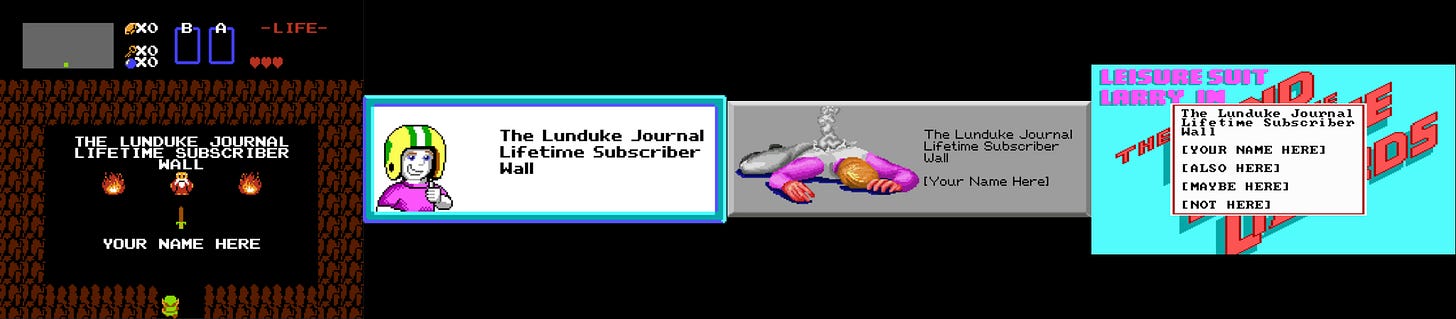
The 2nd Lunduke Journal Lifetime Subscriber Wall of Shame… err… I mean “Wall of Awesomeness” (which shows at the end of each video) is almost full! Holy cow! So many people have signed up over the last few days and asked to be added! Awesome!

There’s room for maybe 3 or 4 more names on there before I need to start Wall Number 3. So if you want to be on the 2nd wall, grab a Lifetime Sub quickly. (Though, really, being on the 3rd wall will be cool too.)

Plus, hey! You can snag one for $89 this month. Which is pretty sweet.

Second: Sending a Lifetime Sub as a Gift

Several of you have asked if it’s possible to send someone a Lifetime Subscription as a gift (at the discounted $89 / $99 price).

The answer is yes! And, instead of sending instructions to each of you, individually, I am including a Step-by-Step rundown on how to send someone a Lunduke Journal Lifetime Sub as a gift.

There are two options — Locals & Bitcoin — and both work equally well.

(Note: A gifted Lifetime subscription can also be applied to Substack accounts… it just can’t be purchased via Substack because of the way the system works for gifting it to another person.)

How to give a gift Lifetime Subscription via Locals:

  1. Go to Lunduke.Locals.com/support.

  2. Select “Give Once“.

  3. Enter “99“ (or more) into the amount field.

  4. Email “bryan at lunduke.com”. Include the following in that email:

    1. Have the words “Gift Sub” somewhere in the subject line.

    2. Include the email you used to make the purchase and the email address of gift recipient.

    3. Include any special instructions or requests, such as: A special message you would like included, when you would like an email sent to the recipient, or if you would prefer to let the recipient know yourself.

  5. Lunduke will send you a confirmation email after that. This usually happens within a few hours.

How to get a Lifetime Subscription with Bitcoin:

You can also send a gift Lifetime Subscription via Bitcoin.  (And it's $10 cheaper thanks to the lower processing fees of Bitcoin.)

  • Send $89 worth of Bitcoin (or more) to the following address:

bc1qyjakve8fywm8pz2v99v57yhjj0vzr2vjze6fcq

  • Email “bryan at lunduke.com”. Include the following in that email:

    1. What time you made the transaction, & how much was sent (in Bitcoin).

    2. Have the words “Gift Sub” somewhere in the subject line.

    3. Include the email address of gift recipient.

    4. Include any special instructions or requests, such as: A special message you would like included, when you would like an email sent to the recipient, or if you would prefer to let the recipient know yourself.

  • Lunduke will send you a confirmation email after that. This usually happens within a few hours.

Note: The Lifetime Subscription only applies to Substack, Locals, and the Lunduke Journal Forum. Other platforms (such as X, Patreon, & YouTube) do not provide the functionality necessary to create Lifetime Subscriptions.

Read full Article
See More
Available on mobile and TV devices
google store google store app store app store
google store google store app tv store app tv store amazon store amazon store roku store roku store
Powered by Locals