Lunduke
News • Science & Tech
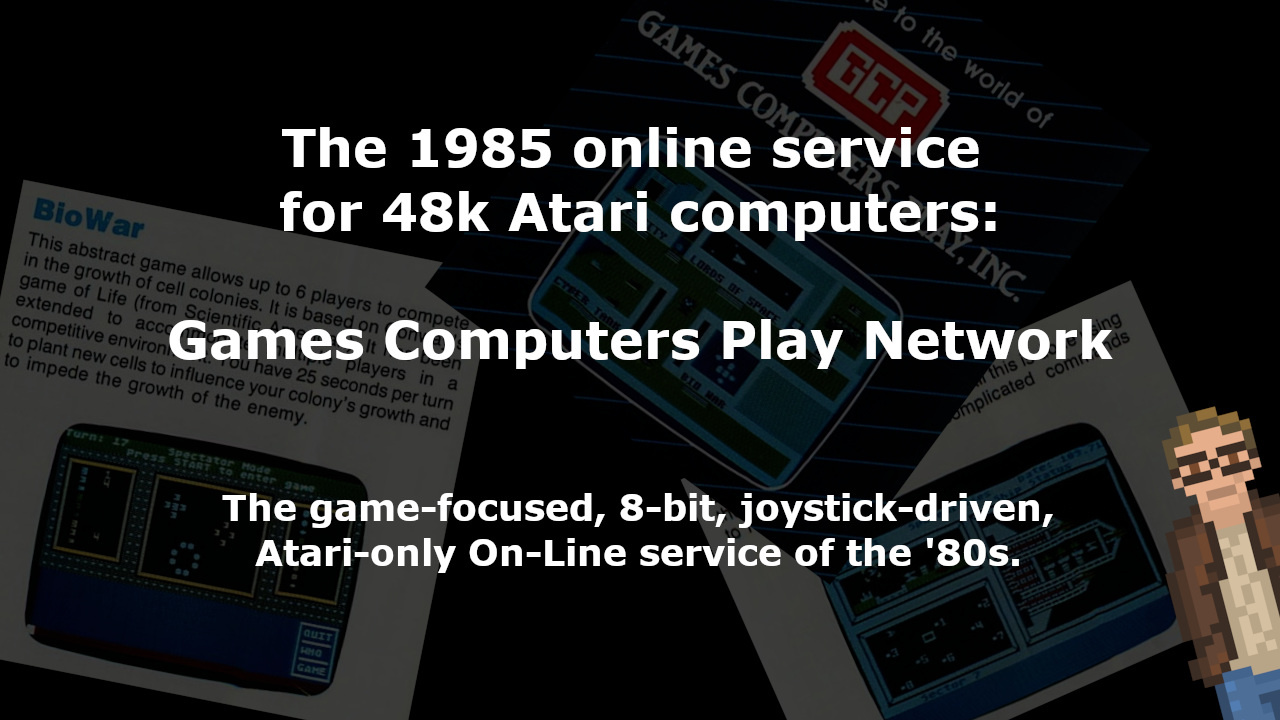
The 1985 online service for 48k Atari computers: Games Computers Play Network
The game-focused, 8-bit, joystick-driven, Atari-only On-Line service of the '80s.
September 06, 2023
post photo preview

In January of 1985, an On-Line service launched that was specifically built for Atari computers equipped with 48k of RAM: the Games Computers Play Network (GCP).

No Commodore 64 support. No Apple. No Mac. No DOS. Atari, and only Atari. And only those with 48k RAM upgrades.

snippet from a GCP Flyer.

The entire interface of GCP was graphical… and navigated by using a joystick (with optional keyboard commands). From a central “City” you could choose where to go, who to send messages to (using a “Telephone”) and what games to play.

Games were really the stand-out feature of the service. As was pretty obvious from the “Games Computer Play” name. And, among them, the crowning jewel was known as “Lord of Space”.
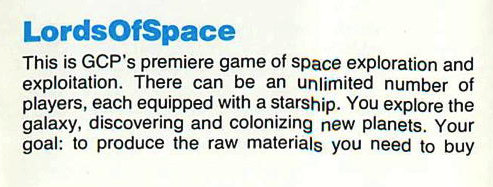
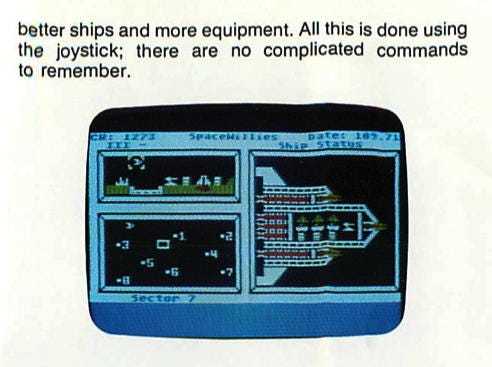
 

“Lords of Space” — which had a working title of “SpaceLanes” prior to release, and is mentioned in an October 1985 issue of Antic magazine — was a space strategy game. There does not appear to be any way to play this game nowadays (as it was tightly tied to the GCP online service), which is a major bummer. As it looks to be a rather fun looking strategy / building / exploring game.

There were a few other games on the system, though not a huge number.
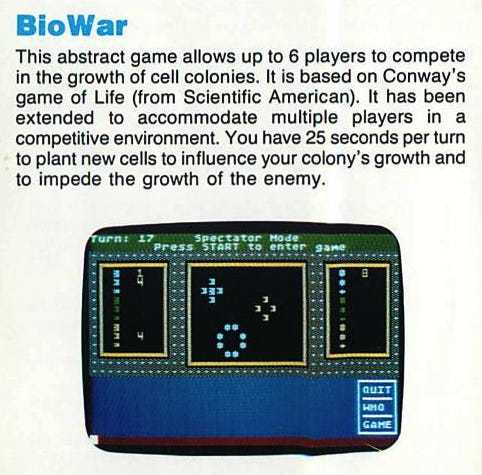
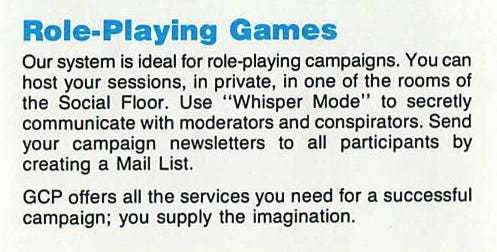
Like any On-Line service, GCP had “forums” and “chat rooms”. What I find fascinating is that GCP put a heavy emphasis on role playing game and Sci-Fi. Even going so far as to promote the usage of the GCP network to host and run card and paper, D&D style campaigns.
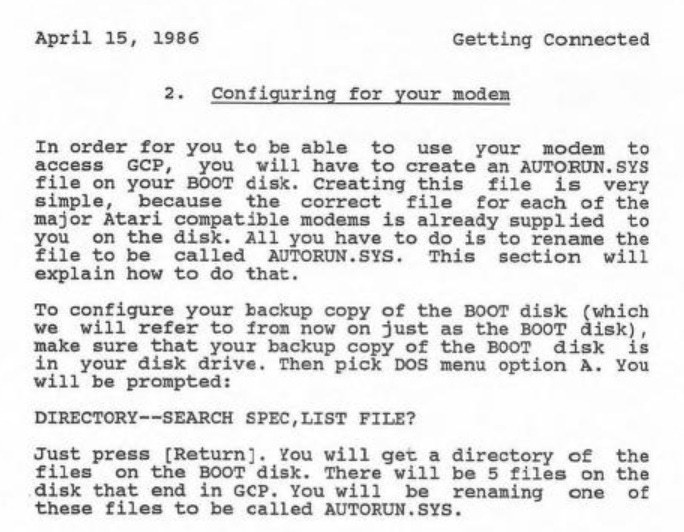
There exists a 217 page manual for Games Computers Play. It covers everything from making backups to how to use the system… and even how to configure your modem on the Atari 8bit computer.
The overall attitude of the service was decidedly lighthearted. Goofy. Friendly. A good example are the “Service Terms” of GCP. Which begins as follows:
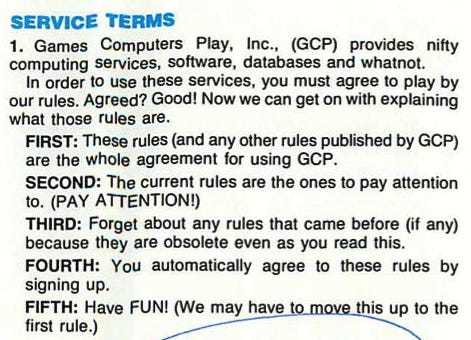
See? Goofy. Kinda dig it.

So. How much did using GCP cost?
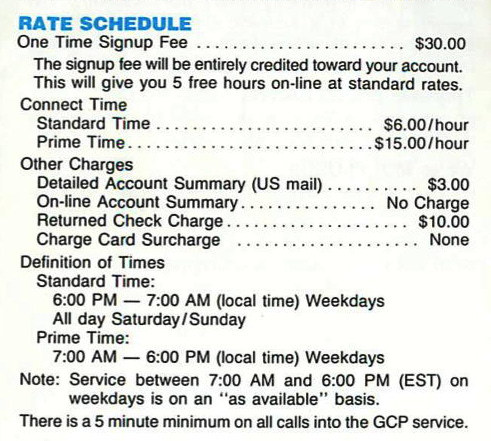
Those are in 1980s dollars.

$6 per hour. $15 per hour during “prime time” (7am to 6pm).

Use the service for 5 hours, during the middle of the day? $75.

This wasn’t exactly cheap, even by standards of the day. Similar services (like PlayNET) regularly ran hourly rates in the $3 to $5 range.

Fun only-somewhat-related side note: The PlayNET service was, during these days, strictly for the Commodore 64.  A few years later, PlayNET would form the basis of what would become America On-Line (AOL).

It truly is a shame there is no way to fully experience the Games Computers Play Network now, in the current day. It is a fascinating, and fun, looking system — which clearly blazed a lot of trails.


community logo
Join the Lunduke Community
To read more articles like this, sign up and join my community today
3
What else you may like…
Videos
Podcasts
Posts
Articles
GNOME in Damage Control Mode After Revelations from Ex Board Member

Following reports of corruption, from an ousted Board member, the GNOME Foundation censors discussions, blames "well-known bad actors and grifters".

Grab a Discounted Lifetime Sub & Get on the Wall:
https://lunduke.substack.com/p/50-off-yearly-and-massively-discounted

More from The Lunduke Journal:
https://lunduke.com/

00:14:59
Proton Mail Apologizes for Sponsoring "Far Right French YouTuber"

Activists on Reddit attacked Proton Mail for advertising with a YouTuber accused of "far-right positioning". Proton quickly caved to the mob and apologized.

Grab a discounted Lifetime Sub & get on the Wall:
https://lunduke.substack.com/p/50-off-yearly-and-massively-discounted

More from The Lunduke Journal:
https://lunduke.com/

00:20:14
Ex Board Member Reveals Corruption & Dysfunction at GNOME Foundation

Unpaid invoices. Threats. Secret bannings of Elected Board Members.
Non-Disparagement Agreements. "Hiding crucial information about staff".

Grab a Discounted Lifetime Subscription & Get on The Wall:
https://lunduke.substack.com/p/50-off-yearly-and-massively-discounted

More from The Lunduke Journal:
https://lunduke.com/

00:26:38
November 22, 2023
The futility of Ad-Blockers

Ads are filling the entirety of the Web -- websites, podcasts, YouTube videos, etc. -- at an increasing rate. Prices for those ad placements are plummeting. Consumers are desperate to use ad-blockers to make the web palatable. Google (and others) are desperate to break and block ad-blockers. All of which results in... more ads and lower pay for creators.

It's a fascinatingly annoying cycle. And there's only one viable way out of it.

Looking for the Podcast RSS feed or other links? Check here:
https://lunduke.locals.com/post/4619051/lunduke-journal-link-central-tm

Give the gift of The Lunduke Journal:
https://lunduke.locals.com/post/4898317/give-the-gift-of-the-lunduke-journal

The futility of Ad-Blockers
November 21, 2023
openSUSE says "No Lunduke allowed!"

Those in power with openSUSE make it clear they will not allow me anywhere near anything related to the openSUSE project. Ever. For any reason.

Well, that settles that, then! Guess I won't be contributing to openSUSE! 🤣

Looking for the Podcast RSS feed or other links?
https://lunduke.locals.com/post/4619051/lunduke-journal-link-central-tm

Give the gift of The Lunduke Journal:
https://lunduke.locals.com/post/4898317/give-the-gift-of-the-lunduke-journal

openSUSE says "No Lunduke allowed!"
September 13, 2023
"Andreas Kling creator of Serenity OS & Ladybird Web Browser" - Lunduke’s Big Tech Show - September 13th, 2023 - Ep 044

This episode is free for all to enjoy and share.

Be sure to subscribe here at Lunduke.Locals.com to get all shows & articles (including interviews with other amazing nerds).

"Andreas Kling creator of Serenity OS & Ladybird Web Browser" - Lunduke’s Big Tech Show - September 13th, 2023 - Ep 044
4 hours ago

DHH!

4 hours ago

Again???

4 hours ago

Did we land on the Moon???

post photo preview
TempleOS arrives on The Lunduke Journal Lifetime Wall

“When are you going to add a TempleOS Lifetime Wall??!”

I’ve lost track of the number of times I’ve received that request over the last few weeks. Well. What the heck! Why not?

There are now three Lunduke Journal Lifetime Subscriber Walls (displayed both on Lunduke.com and the end of all new shows) with space available:

  • Macintosh System 1

  • Windows 2000

  • TempleOS


A few quick notes:

  1. The Windows 2000 Wall, which was introduced only 2 days ago, is already about half way full. At the current rate, that one will likely be full by the end of the week. Still plenty of space on the Mac System 1 Wall.

  2. The discount on Lifetime Subscriptions ($125… discounted from the normal $300) runs through the end of June.

  3. One Lifetime Subscription = Name Listed on One Wall. These Walls are crazy popular and fill up super fast, so I have to put that limit in place.

  4. Want your name on more than one Lifetime Wall? Grab a second Lifetime Subscription (use the discounted rate) and you can have your name added to one of the Walls with space still available.

Massive high five to everyone who has supported The Lunduke Journal and made these retro-computer Lifetime Walls so much fun to do!

-Lunduke

Read full Article
post photo preview
Behold! The "Win 2K" & "Mac System 1" Lifetime Sub Walls!

Woah! The 8th Lifetime Subscriber Wall of The Lunduke Journal (aka “The Windows 1.0 Wall”) is already full! After only one week! That’s nuts!

So I’m opening up two new, retro computer walls!

  • Wall 9 - “The Macintosh System 1 Wall”

  • Wall 10 - “The Windows 2000 Wall”


Show your support for The Lunduke Journal, and be immortalized in a retro computer screenshot. Win-win!

If the past is any indicator, these will fill up crazy fast. First come, first served.

Plus: For the entire month of June, Lifetime Subscriptions are discounted down to $125 (regularly $300).

  1. Scroll down and grab a new Lifetime Subscription (at that bonkers discount).

  2. Choose which of the two new Walls you’d like to be on (Mac System 1 or Windows 2000). Totally optional.

How to Grab a Discounted Lifetime Subscription:

There are 3 different ways to pick up a Lunduke Journal Lifetime sub. All of them work great and include the same perks. Choose whichever works best for you!

Get a Lifetime Subscription via Locals:

  1. Go to Lunduke.Locals.com/support.

  2. Select “Give Once“.

  3. Enter “125“ into the amount field.

  4. After checking out, Lunduke will toss you an email once your account is set to full lifetime status. (This usually happens within a few hours.)

Get a Lifetime Subscription via Substack:

  1. Go to Lunduke.Substack.com/subscribe.

  2. Select the “Lifetime Subscription” option.

  3. After checking out, Lunduke will toss you an email once your account is set to full lifetime status. (This usually happens within a few hours.)

If you would also like full, Lifetime access to Lunduke.Locals.com (which is included):

  1. Make a free account on Lunduke.Locals.com.

  2. Email “bryan at lunduke.com” with the email address you use on both Substack and Locals (can be different email addresses).

  3. Lunduke will toss you an email once your account is set to full lifetime status on Locals.

Get a Lifetime Subscription with Bitcoin:

Bonus: Save an extra $10 with the Bitcoin option, as Bitcoin processing has fewer fees associated with it.

bc1qyjakve8fywm8pz2v99v57yhjj0vzr2vjze6fcq

  • Email “bryan at lunduke.com” with the following information: What time you made the transaction, how much was sent (in Bitcoin), and the email address you use (or plan to use) on Locals.com or Substack.com.

-Lunduke

Read full Article
Windows 1.0 Wall almost full! Last call!

Holy Guacamole, Batman!

The 8th Lifetime Subscriber Wall (“The Windows 1.0 Wall”) of The Lunduke Journal launched exactly one week ago… and it’s already almost full! Bonkers!


At the current rate, the “Windows 1.0 Wall” will be full sometime tomorrow (Saturday).

Want your name immortalized in that glorious 1985 styled goodness, proclaiming to the world your support of The Lunduke Journal?

Don’t have a Lifetime Subscription?

  1. Grab one for $125 (normally $300).

  2. You’ll get a confirmation email (within just a few hours). Reply to that email with how you would like your name displayed on a Lifetime Wall.

  3. Then enjoy the other perks of being Lunduke Journal subscriber. Forum access, MP4 downloads, and PDF eBooks.

Already have a Lifetime Subscription?

  1. Just toss an email to bryan [at] lunduke.com with how you would like your name displayed on a Lifetime Wall.

Easy peasy.

First come, first served. Once the “Windows 1.0 Wall” is full, the final version will be added to Lunduke.com and the 9th Lifetime Wall will debut!

-Lunduke

Read full Article
See More
Available on mobile and TV devices
google store google store app store app store
google store google store app tv store app tv store amazon store amazon store roku store roku store
Powered by Locals