Lunduke
News • Science & Tech
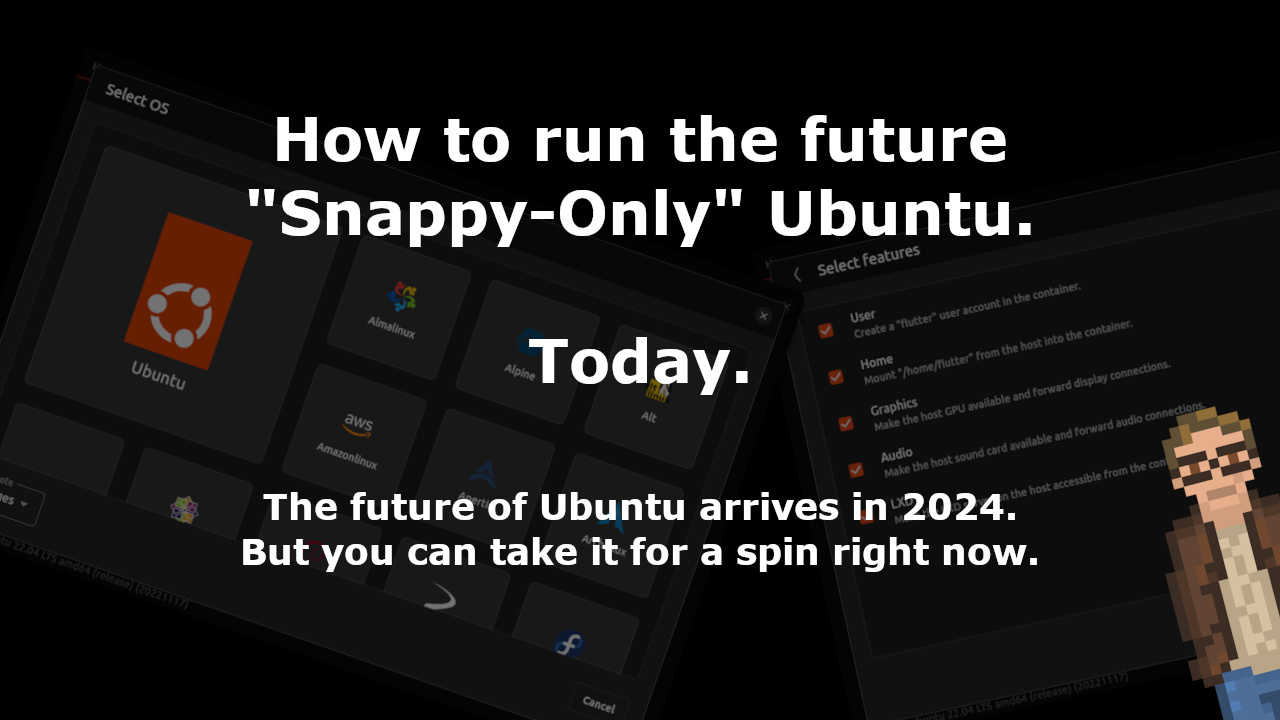
How to run the future "Snappy-Only" Ubuntu. Today.
The future of Ubuntu arrives in 2024. But you can take it for a spin right now.
July 03, 2023
post photo preview

We recently learned that Ubuntu is planning to move to an entirely Snap-based, immutable system some time in 2024.

Well, that future "Snappy-only Ubuntu" isn't merely theoretical.  It is far enough along that you can take it for a test drive.  Right now.

How to run Snappy-Only Ubuntu Core

Taking this for a test drive is pretty doggone simple:

  1. Go to the Ubuntu Core build page on GitHub.
  2. Click on a recent "build-image".
  3. At the very bottom of that page, you'll find an IMAGE.ZIP file.  Download it.
  4. Extract that IMAGE.ZIP file and flash it to a thumb drive.  Or fire it up in a Virtual Machine.  Or however you'd like to try this bad-mama-jama out.

Just be prepared: You will encounter bugs.

What we know

A few interesting points worth noting about this "Snappy-Only Ubuntu":

  • Canonical / Ubuntu are shipping a number of new applications, and focusing on developing them with Flutter -- the UI toolkit from Google.  Not with GTK.  This includes a brand new, Flutter-based Terminal.
  • A new (again, Flutter-based) application called "Workshops" allows you to choose what containers to launch based on different distributions.
  • Can run multiple different versions of the same (or different) desktop environments on the same system.  Each sandboxed.
  • Built on top of the 22.04 Long Term Support release of Ubuntu.  In theory this would change to the latest Long Term Support version when that happens.
  • This truly is Snap Only.  There is no apt here.  Which, I suppose, is kinda the point.
  • These builds are buggy and not yet ready for daily usage.  But it's interesting to see where the future of Ubuntu is headed.

So many Snappy Questions

At this point there are a number of questions about how this Snappy-Only Ubuntu is going to roll out:

  1. When will it release?  Rumor has it currently as making a debut in April of 2024.  But nothing firm.
  2. Will it become the default Ubuntu?  Again, no firm answer there... but the "word on the street" is that, eventually, yes.  This is what Ubuntu will become.  But not at first.  The first release will likely be an optional thing.  Much like how Ubuntu handled the switch to the Unity Desktop (optional for a few releases... then default).
  3. Will there be any support for APT or Flatpak or other package formats?  Currently... the answer appears to be no.
  4. What will performance and daily usage be like?  It is difficult to evaluate the current builds (as they are a tad buggy).  But, considering the problems with Snap packaged applications in current Ubuntu releases (such as Firefox performance issues, access to printing resources, etc.) one has to wonder what using a 100% Snappy system will be like in practice.

Screenshots are cool

Here are some shots of both the new terminal and, most interestingly, the new "Workshops" application -- which will be central to usage of this new, future version of Ubuntu.

This is "Workshops".  A flutter-based application for starting containers based on different distributions.  Note the gigantic "Ubuntu" button.


Once you've selected a container in "Workshops", you can then choose what that container has access to on your system. Most notably: sound, the GPU, and your home directory.


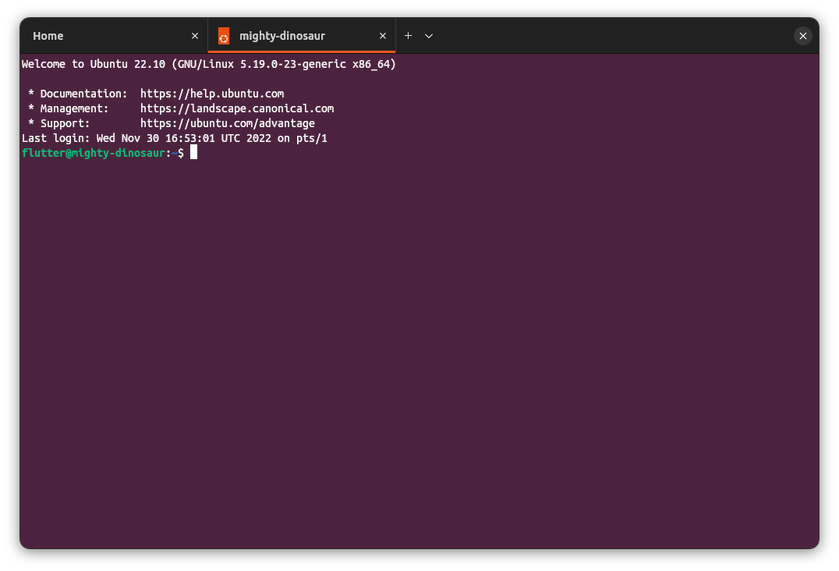
This is the new Flutter-based Ubuntu Terminal.

Copyright © 2023 by Bryan Lunduke.  All rights reserved.  The contents of this article are licensed under the terms of The Lunduke Content Usage License.

community logo
Join the Lunduke Community
To read more articles like this, sign up and join my community today
13
What else you may like…
Videos
Podcasts
Posts
Articles
Ex Board Member Reveals Corruption & Dysfunction at GNOME Foundation

Unpaid invoices. Threats. Secret bannings of Elected Board Members.
Non-Disparagement Agreements. "Hiding crucial information about staff".

Grab a Discounted Lifetime Subscription & Get on The Wall:
https://lunduke.substack.com/p/50-off-yearly-and-massively-discounted

More from The Lunduke Journal:
https://lunduke.com/

00:26:38
AI Generated Patches to Linux Kernel Hits New Record High

8% of all code submissions to the Linux Kernel are now Al generated.

Grab a discounted Lifetime Sub & get on the Wall:
https://lunduke.substack.com/p/behold-the-win-2k-and-mac-system

More from The Lunduke Journal:
https://lunduke.com/

00:14:24
Linux Logos on Racecars

The Omarchy Linux logo is on a Le Mans racecar, driven by the project founder.

Grab a discounted Lifetime Sub & get on the Wall:
https://lunduke.substack.com/p/behold-the-win-2k-and-mac-system

More from The Lunduke Journal:
https://lunduke.com/

00:07:41
November 22, 2023
The futility of Ad-Blockers

Ads are filling the entirety of the Web -- websites, podcasts, YouTube videos, etc. -- at an increasing rate. Prices for those ad placements are plummeting. Consumers are desperate to use ad-blockers to make the web palatable. Google (and others) are desperate to break and block ad-blockers. All of which results in... more ads and lower pay for creators.

It's a fascinatingly annoying cycle. And there's only one viable way out of it.

Looking for the Podcast RSS feed or other links? Check here:
https://lunduke.locals.com/post/4619051/lunduke-journal-link-central-tm

Give the gift of The Lunduke Journal:
https://lunduke.locals.com/post/4898317/give-the-gift-of-the-lunduke-journal

The futility of Ad-Blockers
November 21, 2023
openSUSE says "No Lunduke allowed!"

Those in power with openSUSE make it clear they will not allow me anywhere near anything related to the openSUSE project. Ever. For any reason.

Well, that settles that, then! Guess I won't be contributing to openSUSE! 🤣

Looking for the Podcast RSS feed or other links?
https://lunduke.locals.com/post/4619051/lunduke-journal-link-central-tm

Give the gift of The Lunduke Journal:
https://lunduke.locals.com/post/4898317/give-the-gift-of-the-lunduke-journal

openSUSE says "No Lunduke allowed!"
September 13, 2023
"Andreas Kling creator of Serenity OS & Ladybird Web Browser" - Lunduke’s Big Tech Show - September 13th, 2023 - Ep 044

This episode is free for all to enjoy and share.

Be sure to subscribe here at Lunduke.Locals.com to get all shows & articles (including interviews with other amazing nerds).

"Andreas Kling creator of Serenity OS & Ladybird Web Browser" - Lunduke’s Big Tech Show - September 13th, 2023 - Ep 044
4 hours ago

I keep running hot and cold with Claude and Claude code. I don’t know if my prompting skills are just bad. It is really good at getting the framework of an application started, but once things reach a certain level of complexity, things seems to fall off the rails. AI keeps wanting to make complex code even more complex - even when easier/more straightforward approaches exist. /rewind is my best friend at the moment.

Ultimately, it seems like the more complicated things become, the more you need to understand the code and give AI increasingly detailed and specific instructions. I’m betting at some point in the complexity curve it will be faster to code it myself than to write the prompt.

Although I can’t complain too much, I vibe coded most of the basic features of an app in a weekend that probably would have taken me weeks by hand. Solid first draft.

14 hours ago

Your experience so far with Fable 5?

10 hours ago

Ride or Die with My 2019 Intel MacBook Pro

The only time I’ve ever spent “big money” on a “desktop replacement” laptop was my 2019 Intel i9 16” MacBook Pro. What a glorious machine. I kitted her out with 64gig ram and 2tb nvme and the fasted gpu available. It was my every OS machine. I could fire up VM’s for Windows and Linux and run all at the same time with no lag at all. As my luck would have it, the new Apple Silicon Macs were announced a few months after my purchase. I feared my beloved MacBook would become obsolete before its time.

Yesterday Apple announced the MacOS 27 would not support Intel Macs. If history is anything to go by, I have 2 years after that to continue to get security updates. After that, my Mac laptop will become a Linux machine.

Even hardware support comes to an end next month as 7+ years after Apple stops selling something it becomes obsolete.

It would be more of a tragedy if it weren’t for that same M1 Air that set the clock on my machine. I ...

post photo preview
TempleOS arrives on The Lunduke Journal Lifetime Wall

“When are you going to add a TempleOS Lifetime Wall??!”

I’ve lost track of the number of times I’ve received that request over the last few weeks. Well. What the heck! Why not?

There are now three Lunduke Journal Lifetime Subscriber Walls (displayed both on Lunduke.com and the end of all new shows) with space available:

  • Macintosh System 1

  • Windows 2000

  • TempleOS


A few quick notes:

  1. The Windows 2000 Wall, which was introduced only 2 days ago, is already about half way full. At the current rate, that one will likely be full by the end of the week. Still plenty of space on the Mac System 1 Wall.

  2. The discount on Lifetime Subscriptions ($125… discounted from the normal $300) runs through the end of June.

  3. One Lifetime Subscription = Name Listed on One Wall. These Walls are crazy popular and fill up super fast, so I have to put that limit in place.

  4. Want your name on more than one Lifetime Wall? Grab a second Lifetime Subscription (use the discounted rate) and you can have your name added to one of the Walls with space still available.

Massive high five to everyone who has supported The Lunduke Journal and made these retro-computer Lifetime Walls so much fun to do!

-Lunduke

Read full Article
post photo preview
Behold! The "Win 2K" & "Mac System 1" Lifetime Sub Walls!

Woah! The 8th Lifetime Subscriber Wall of The Lunduke Journal (aka “The Windows 1.0 Wall”) is already full! After only one week! That’s nuts!

So I’m opening up two new, retro computer walls!

  • Wall 9 - “The Macintosh System 1 Wall”

  • Wall 10 - “The Windows 2000 Wall”


Show your support for The Lunduke Journal, and be immortalized in a retro computer screenshot. Win-win!

If the past is any indicator, these will fill up crazy fast. First come, first served.

Plus: For the entire month of June, Lifetime Subscriptions are discounted down to $125 (regularly $300).

  1. Scroll down and grab a new Lifetime Subscription (at that bonkers discount).

  2. Choose which of the two new Walls you’d like to be on (Mac System 1 or Windows 2000). Totally optional.

How to Grab a Discounted Lifetime Subscription:

There are 3 different ways to pick up a Lunduke Journal Lifetime sub. All of them work great and include the same perks. Choose whichever works best for you!

Get a Lifetime Subscription via Locals:

  1. Go to Lunduke.Locals.com/support.

  2. Select “Give Once“.

  3. Enter “125“ into the amount field.

  4. After checking out, Lunduke will toss you an email once your account is set to full lifetime status. (This usually happens within a few hours.)

Get a Lifetime Subscription via Substack:

  1. Go to Lunduke.Substack.com/subscribe.

  2. Select the “Lifetime Subscription” option.

  3. After checking out, Lunduke will toss you an email once your account is set to full lifetime status. (This usually happens within a few hours.)

If you would also like full, Lifetime access to Lunduke.Locals.com (which is included):

  1. Make a free account on Lunduke.Locals.com.

  2. Email “bryan at lunduke.com” with the email address you use on both Substack and Locals (can be different email addresses).

  3. Lunduke will toss you an email once your account is set to full lifetime status on Locals.

Get a Lifetime Subscription with Bitcoin:

Bonus: Save an extra $10 with the Bitcoin option, as Bitcoin processing has fewer fees associated with it.

bc1qyjakve8fywm8pz2v99v57yhjj0vzr2vjze6fcq

  • Email “bryan at lunduke.com” with the following information: What time you made the transaction, how much was sent (in Bitcoin), and the email address you use (or plan to use) on Locals.com or Substack.com.

-Lunduke

Read full Article
Windows 1.0 Wall almost full! Last call!

Holy Guacamole, Batman!

The 8th Lifetime Subscriber Wall (“The Windows 1.0 Wall”) of The Lunduke Journal launched exactly one week ago… and it’s already almost full! Bonkers!


At the current rate, the “Windows 1.0 Wall” will be full sometime tomorrow (Saturday).

Want your name immortalized in that glorious 1985 styled goodness, proclaiming to the world your support of The Lunduke Journal?

Don’t have a Lifetime Subscription?

  1. Grab one for $125 (normally $300).

  2. You’ll get a confirmation email (within just a few hours). Reply to that email with how you would like your name displayed on a Lifetime Wall.

  3. Then enjoy the other perks of being Lunduke Journal subscriber. Forum access, MP4 downloads, and PDF eBooks.

Already have a Lifetime Subscription?

  1. Just toss an email to bryan [at] lunduke.com with how you would like your name displayed on a Lifetime Wall.

Easy peasy.

First come, first served. Once the “Windows 1.0 Wall” is full, the final version will be added to Lunduke.com and the 9th Lifetime Wall will debut!

-Lunduke

Read full Article
See More
Available on mobile and TV devices
google store google store app store app store
google store google store app tv store app tv store amazon store amazon store roku store roku store
Powered by Locals