


Two quick tidbits!
First: Lifetime Wall 2 Almost Full
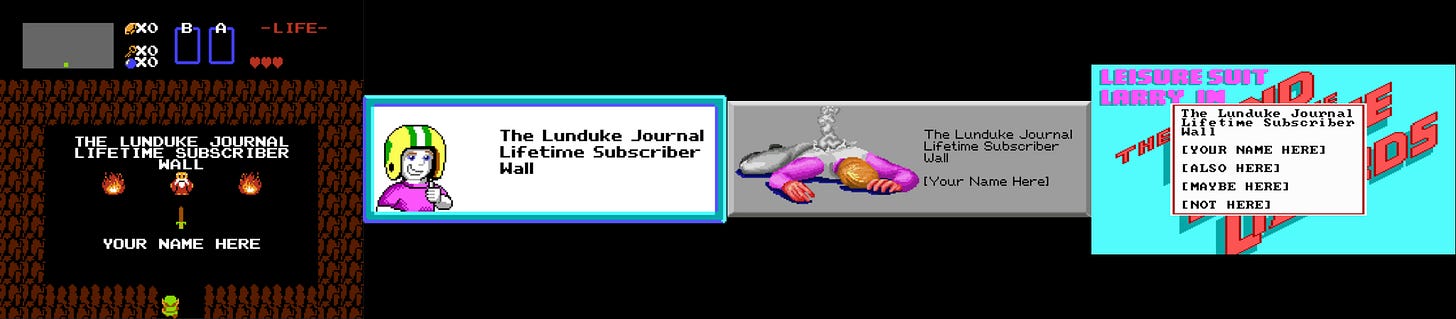
The 2nd Lunduke Journal Lifetime Subscriber Wall of Shame… err… I mean “Wall of Awesomeness” (which shows at the end of each video) is almost full! Holy cow! So many people have signed up over the last few days and asked to be added! Awesome!
There’s room for maybe 3 or 4 more names on there before I need to start Wall Number 3. So if you want to be on the 2nd wall, grab a Lifetime Sub quickly. (Though, really, being on the 3rd wall will be cool too.)
Plus, hey! You can snag one for $89 this month. Which is pretty sweet.
Second: Sending a Lifetime Sub as a Gift
Several of you have asked if it’s possible to send someone a Lifetime Subscription as a gift (at the discounted $89 / $99 price).
The answer is yes! And, instead of sending instructions to each of you, individually, I am including a Step-by-Step rundown on how to send someone a Lunduke Journal Lifetime Sub as a gift.
There are two options — Locals & Bitcoin — and both work equally well.
(Note: A gifted Lifetime subscription can also be applied to Substack accounts… it just can’t be purchased via Substack because of the way the system works for gifting it to another person.)
How to give a gift Lifetime Subscription via Locals:
Go to Lunduke.Locals.com/support.
Select “Give Once“.
Enter “99“ (or more) into the amount field.
Email “bryan at lunduke.com”. Include the following in that email:
Have the words “Gift Sub” somewhere in the subject line.
Include the email you used to make the purchase and the email address of gift recipient.
Include any special instructions or requests, such as: A special message you would like included, when you would like an email sent to the recipient, or if you would prefer to let the recipient know yourself.
Lunduke will send you a confirmation email after that. This usually happens within a few hours.
How to get a Lifetime Subscription with Bitcoin:
You can also send a gift Lifetime Subscription via Bitcoin. (And it's $10 cheaper thanks to the lower processing fees of Bitcoin.)
Send $89 worth of Bitcoin (or more) to the following address:
bc1qyjakve8fywm8pz2v99v57yhjj0vzr2vjze6fcq
Email “bryan at lunduke.com”. Include the following in that email:
What time you made the transaction, & how much was sent (in Bitcoin).
Have the words “Gift Sub” somewhere in the subject line.
Include the email address of gift recipient.
Include any special instructions or requests, such as: A special message you would like included, when you would like an email sent to the recipient, or if you would prefer to let the recipient know yourself.
Lunduke will send you a confirmation email after that. This usually happens within a few hours.
Note: The Lifetime Subscription only applies to Substack, Locals, and the Lunduke Journal Forum. Other platforms (such as X, Patreon, & YouTube) do not provide the functionality necessary to create Lifetime Subscriptions.