Lunduke
News • Science & Tech
Instantly Become an Elite Movie Hacker
(with 3 simple tools)
May 25, 2024
post photo preview

Feeling lazy?  Want anyone who happens to walk past your computer screen to think you are incredibly busy writing — or compiling — a mountain of code?

Filming a movie about a squad of elite hackers and need the computer screens to... you know... look the part?

Or, heck, are you just a bit bored and want to make your computer do something funky looking?

Whichever situation you find yourself in, here are three different tools that will make your computer appear like it is hard at work doing some seriously elite hacking and coding.

1 - Genact

Genact is described as a “nonsense activity generator”. And boy does it do its job well.

Pretend to be busy or waiting for your computer when you should actually be doing real work! Impress people with your insane multitasking skills. Just open a few instances of Genact and watch the show. Genact has multiple scenes that pretend to be doing something exciting or useful when in reality nothing is happening at all.

Runs on Linux, Windows, and Mac… and creates screens like this:
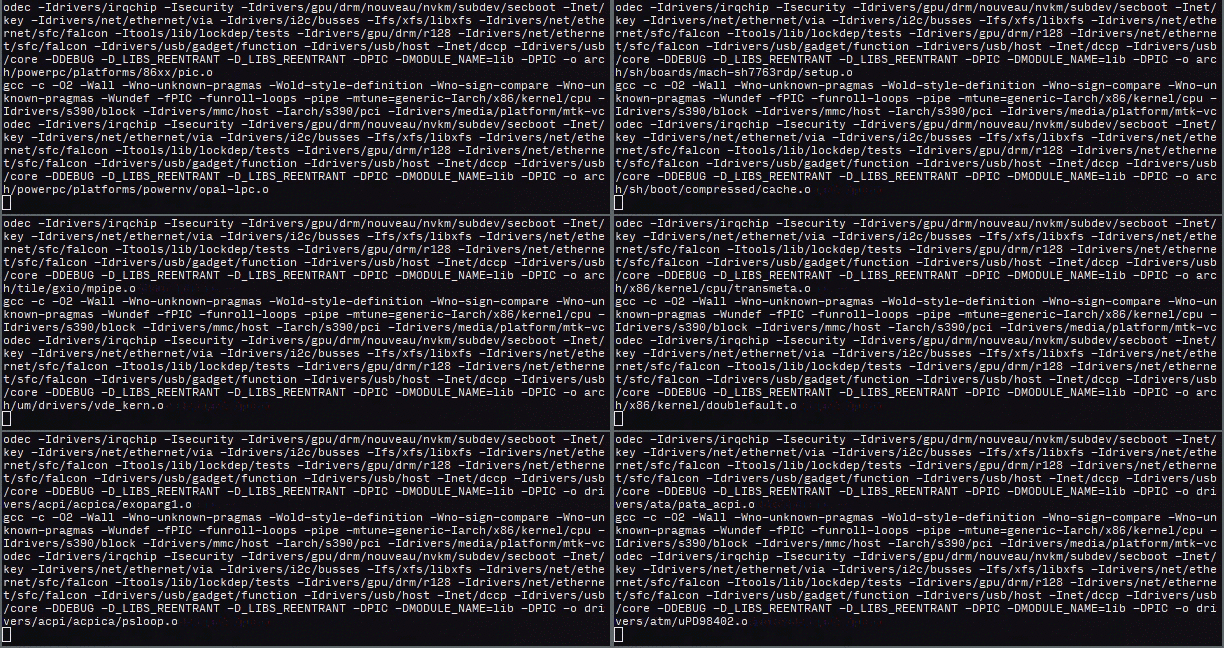
Compiling!


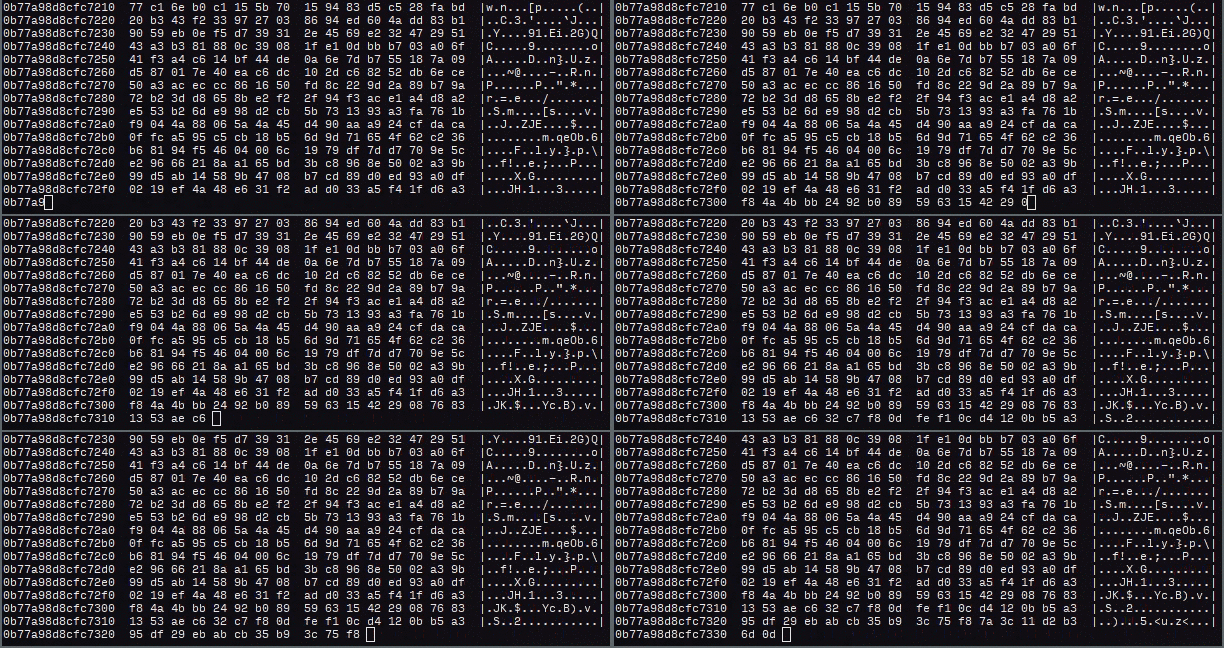
Memory Dumping!


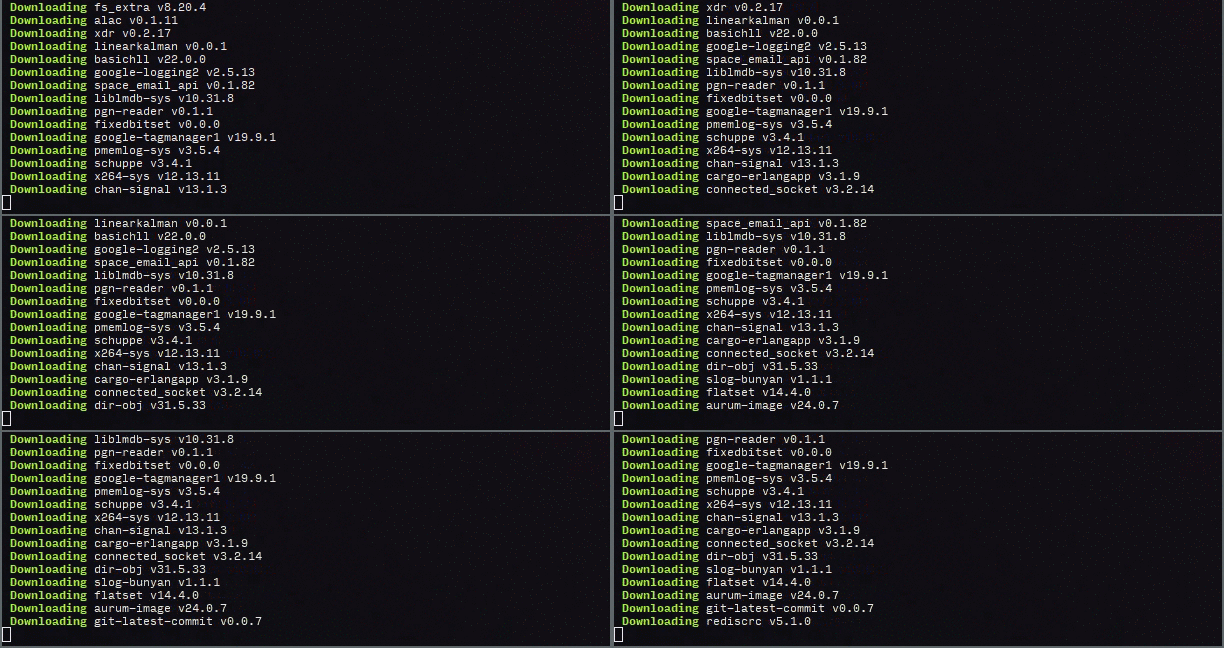
Download-inating!

Genact has a whole boatload of different modules to help you pretend to do a bunch of different things: Mining crypto, handling docker images, compiling kernels, viewing logs… it’s all here.

2 - Hollywood

Hollywood is a Linux-only option, and it looks oh-so-cool. It runs in a terminal, and opens up a whole bunch of different applications (mostly real performance and network monitoring tools) each of which displays constantly updating bits of information.

The whole point is to make your computer look super busy… and super hacker-y. Just like in a movie.

In fact, Hollywood looks so good that it’s been used in multiple TV shows.

For example, here it is in a segment for NBC Nightly News:
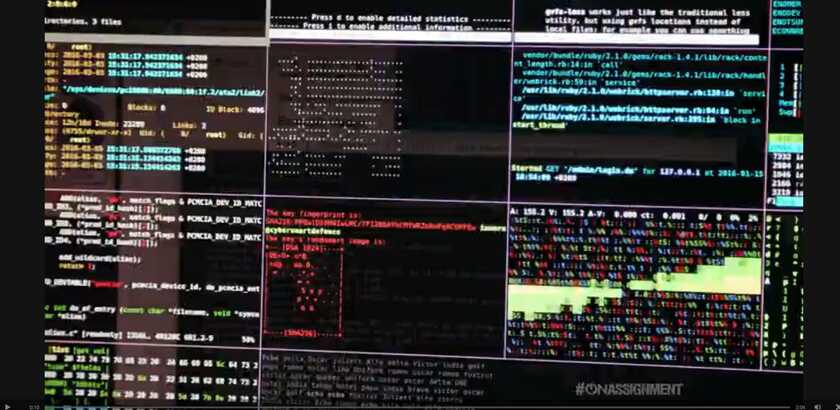
So much elite hacker-y-ness!

Yeah. The news. A fake “make your computer look like it’s hacking something” application. On the news. If that’s not a great representation of the sorry state of TV News, I don’t know what is.

Just for the sake of completeness… here’s a shot of two investigators -- from that news report -- pointing to the random, gibberish output of Hollywood… and pretending like it’s super fascinating, real data that is somehow relevant to the news segment.
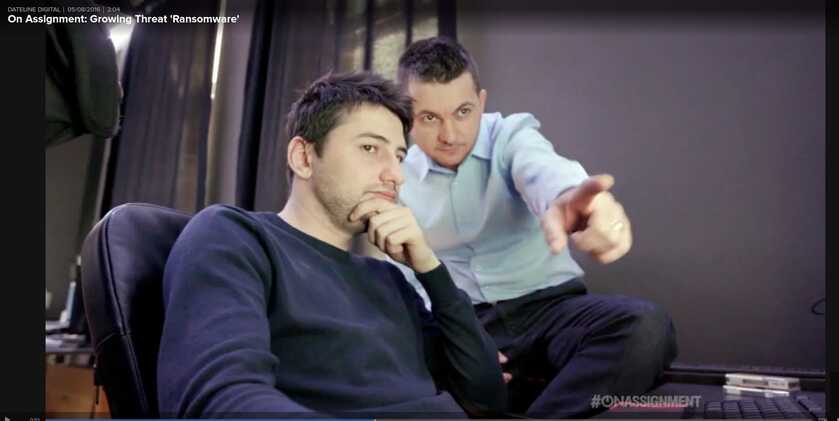
"Hmm.  Yes.  My elite hacker brain is thinking about this very real hacker stuff on this computer screen.  Look!  Right there!  Hacker stuff!"

That is, I kid you not, absolutely real.  This was on the news.

And here’s Hollywood in a sketch on Saturday Night Live:
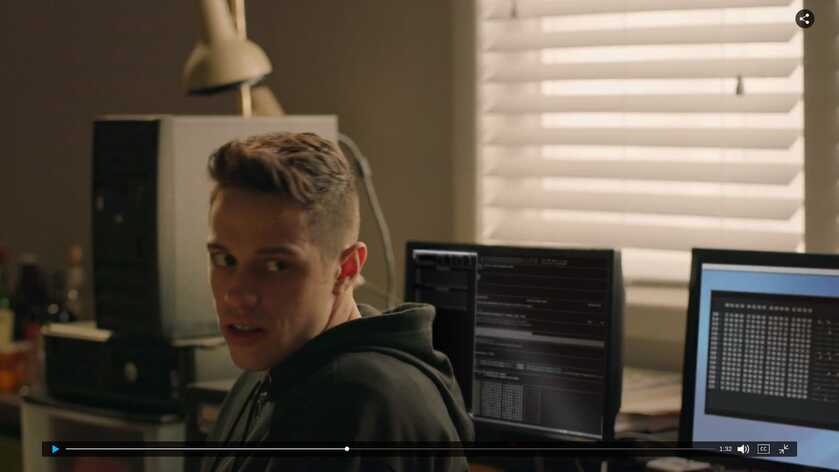
"Don't interrupt me!  Can't you see I'm hacking!"

Seriously.  Hollywood is tons of fun to play with.  Even if you're not filming a news report.

3 - HackerTyper.net

HackerTyper.net is a bit different than the other ones.

Here’s how it works:

  1. Open up HackerTyper.net.

  2. Start hitting keys on the keyboard. Any keys at all. Doesn’t matter.

  3. Perfectly formatted C code appears on the screen!
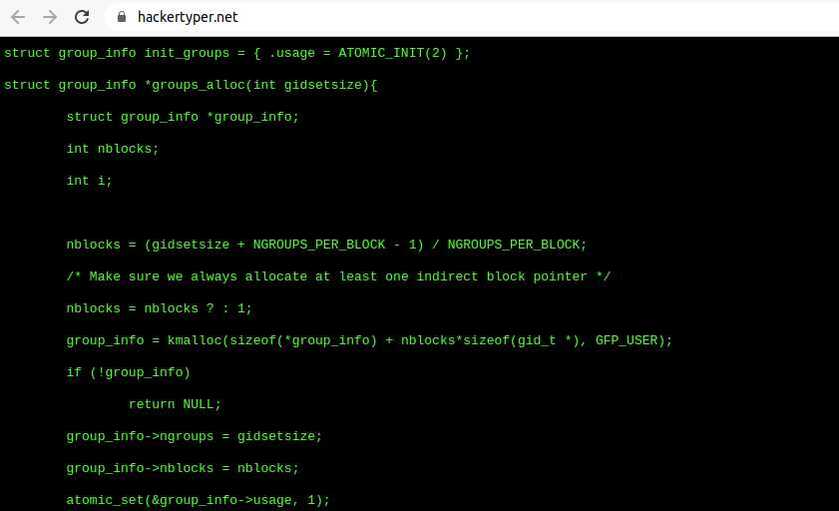
Alloc's and Struct's and Int's!  Huzzah!

Now you can write code just like actors in the movies! Just sit back and pound away at your keyboard -- like a deranged, drunken monkey -- with complete disregard for what keys you’re actually pressing!

Whichever of these three options you choose -- HackerTyper, Hollywood, or Genact -- you are now fully equiped to become the most elitest of elite movie hackers.  (You're even ready to be on the evening news.)

community logo
Join the Lunduke Community
To read more articles like this, sign up and join my community today
12
What else you may like…
Videos
Podcasts
Posts
Articles
LCOS 0.9.4 Released

Bug fixes & improved hardware support as Lunduke's Linux distro moves towards a 1.0 release.

The Lunduke Computer Operating System:
https://lunduke.com/lcos.html

Lifetime Sub Sale, Plus Your Name on the LCOS About Window:
https://lunduke.substack.com/p/lifetime-sub-sale-plus-your-name

More from The Lunduke Journal:
https://lunduke.com/

00:11:54
October 15, 2026
Linux Creator Says Banning AI is Utterly Stupid, Idiotic

Linus Torvals says, "we’re not going to make stupid rules that say you can’t use [AI for developing Linux]".

Lifetime Sub Sale, Plus Your Name on the LCOS About Window:
https://lunduke.substack.com/p/lifetime-sub-sale-plus-your-name

More from The Lunduke Journal:
https://lunduke.com/

00:23:09
October 14, 2026
GNOME Attacks Everyone (Including GNOME)

The GNOME Foundation is in total meltdown, attacking their own members, along with hardware companies (Framework), Open Source projects (Omarchy, Hyprland, others), and even... JK Rowling and Charlie Kirk?

Lifetime Sub Sale, Plus Your Name on the LCOS About Window:
https://lunduke.substack.com/p/lifetime-sub-sale-plus-your-name

More from The Lunduke Journal:
https://lunduke.com/

00:17:51
November 22, 2023
The futility of Ad-Blockers

Ads are filling the entirety of the Web -- websites, podcasts, YouTube videos, etc. -- at an increasing rate. Prices for those ad placements are plummeting. Consumers are desperate to use ad-blockers to make the web palatable. Google (and others) are desperate to break and block ad-blockers. All of which results in... more ads and lower pay for creators.

It's a fascinatingly annoying cycle. And there's only one viable way out of it.

Looking for the Podcast RSS feed or other links? Check here:
https://lunduke.locals.com/post/4619051/lunduke-journal-link-central-tm

Give the gift of The Lunduke Journal:
https://lunduke.locals.com/post/4898317/give-the-gift-of-the-lunduke-journal

The futility of Ad-Blockers
November 21, 2023
openSUSE says "No Lunduke allowed!"

Those in power with openSUSE make it clear they will not allow me anywhere near anything related to the openSUSE project. Ever. For any reason.

Well, that settles that, then! Guess I won't be contributing to openSUSE! 🤣

Looking for the Podcast RSS feed or other links?
https://lunduke.locals.com/post/4619051/lunduke-journal-link-central-tm

Give the gift of The Lunduke Journal:
https://lunduke.locals.com/post/4898317/give-the-gift-of-the-lunduke-journal

openSUSE says "No Lunduke allowed!"
September 13, 2023
"Andreas Kling creator of Serenity OS & Ladybird Web Browser" - Lunduke’s Big Tech Show - September 13th, 2023 - Ep 044

This episode is free for all to enjoy and share.

Be sure to subscribe here at Lunduke.Locals.com to get all shows & articles (including interviews with other amazing nerds).

"Andreas Kling creator of Serenity OS & Ladybird Web Browser" - Lunduke’s Big Tech Show - September 13th, 2023 - Ep 044
October 15, 2026

Living the AI Amplified Life - Numer 23 - Entering New Domains

I’m absolutely loving living the AI-amplified life.

I had a wonderful interview with Acme Marketing (not their real name). They are looking for someone to help grow their Snowflake practice, with an emphasis on pre-sales, marketing, accelerators, and helping with the Snowflake partnership. I’m perfect for that role.

Minor blip: their industry is not one I’ve done a lot in, as they are a Customer Experience agency.

After the call, I pondered how to address the fact that I could be very effective even if, on day one, I’m not an expert in their domain.

I woke up at 5 a.m. with an idea. I opened my phone to the ChatGPT Dot agent (their answer to Grokbots) and asked it to do the following:


I have a job for you. I’ve interviewed with Acme Marketing, and it went well. I don’t have domain knowledge in their main marketing business. I want to build a dashboard using DataForge and the dashboard builder I’m creating.

Your job is to go to the ...

post photo preview
17 hours ago
October 13, 2026
post photo preview
LCOS 0.9.3 has Landed! Plus: How to Help.

The Lunduke Computer Operating System (LCOS) is flying towards the official, 1.0 release — with version 0.9.3 now available for testing!

Between now and 1.0, LCOS is laser focused on a) fixing bugs and b) making sure it runs (and runs well) on as much hardware as possible.

Right now, LCOS needs your help. Here’s how:

  1. Test the latest LCOS release on your hardware. Hit any snags? Report them on GitHub, the Lunduke Forum, or via DM on X.

  2. Donate to LCOS (and The Lunduke Journal), so that we can expand our hardware testing lab (among other expenses).

If you haven’t already, watch the LCOS Roadmap video, to get an idea for where we’re heading (in 1.0 and beyond).

Then check out this page, for details on how to support LCOS & The Lunduke Journal (and get your name on the LCOS 1.0 About window in the process).

A huge thank you to everyone who has already contributed (in both ways)! With your help, we are making LCOS into the best gosh darned system in all the land.

-Lunduke

Image
 
Read full Article
Lunduke Lifetime Discount Ends in 1 Day; Zelda, Larry, SQ, & Keen Walls Available

TL;DR: Lifetime Subscription discount ends in one day. There are currently 4 “Lifetime Walls” with space available for more names (the Oregon Trail Wall is now full).

We’ve been running a massive discount on Lunduke Journal Lifetime Subscriptions for the entire months of June and July. And it has been an absolute blast. There are now 21 (twenty-one!) retro computer walls overflowing with your names.

Pure insanity. Huge thank you to everyone who has supported The Lunduke Journal.

But the discounted price only runs through July 31st… and that moment is just about here.

When the calendar ticks over into August (just a hair over 24 hours from now), the Lunduke Journal Lifetime Subscription price goes back to normal.

  • If the calendar still says it’s July, the Lifetime price is still discounted to $125.

  • If the calendar says August… the price returns to $300.

There are, as of this exact moment, 4 retro game themed “Lifetime Walls” which still have some space for more names (check Lunduke.com for the full list):

  1. Legend of Zelda

  2. Commander Keen 4

  3. Space Quest 4

  4. Leisure Suit Larry

Grab a discounted Lifetime Subscription (scroll down for the details), then email Lunduke (bryan at lunduke.com) with which Wall you’d like to appear on.


First come, first served. Once a Wall is full, it’s full. So if there’s a specific Wall you’d like to be on, don’t dilly dally.

How to Grab a Discounted Lifetime Subscription:

There are 3 different ways to pick up a Lunduke Journal Lifetime sub. All of them work great. Choose whichever works best for you!

Remember: These discounted prices go back up to normal ($300) on August 1st.

Get a Lifetime Subscription via Locals:

  1. Go to Lunduke.Locals.com/support.

  2. Select “Give Once“.

  3. Enter “125“ into the amount field.

  4. After checking out, Lunduke will toss you an email once your account is set to full lifetime status. (This usually happens within a few hours.)

Get a Lifetime Subscription via Substack:

  1. Go to Lunduke.Substack.com/subscribe.

  2. Select the “Lifetime Subscription” option.

  3. After checking out, Lunduke will toss you an email once your account is set to full lifetime status. (This usually happens within a few hours.)

If you would also like full, Lifetime access to Lunduke.Locals.com (which is included):

  1. Make a free account on Lunduke.Locals.com.

  2. Email “bryan at lunduke.com” with the email address you use on both Substack and Locals (can be different email addresses).

  3. Lunduke will toss you an email once your account is set to full lifetime status on Locals.

Get a Lifetime Subscription with Bitcoin:

Bonus: Save an extra $10 with the Bitcoin option, as Bitcoin processing has fewer fees associated with it.

bc1qyjakve8fywm8pz2v99v57yhjj0vzr2vjze6fcq

  • Email “bryan at lunduke.com” with the following information: What time you made the transaction, how much was sent (in Bitcoin), and the email address you use (or plan to use) on Locals.com or Substack.com.

-Lunduke

Read full Article
post photo preview
Oregon Trail, Keen, & Leisure Suit Larry Lifetime Walls

Holy frijoles! There are now 20 (twenty!) Lifetime Subscriber Walls, filled with the names of roughly one bazillion Lunduke Journal supporters.

Just amazing.

Two super quick updates:

  1. The “Desqview/X”, “NeXTSetp”, & “TRS-80 Model 100” Walls are now full! (Check them out on Lunduke.com and at the end of new shows.)

  2. There are 3 new Walls available to put your John Hancock on… and, just for kicks, these ones aren’t from Classic Operating Systems… they’re Classic Games:

    1. Oregon Trail

    2. Commander Keen 4

    3. Leisure Suit Larry


I don’t expect space on these Walls to last long. First come first served.

A huge thank you to all of The Lunduke Journal subscribers. Your support is deeply appreciated. You make this possible.

-Lunduke

Read full Article
See More
Available on mobile and TV devices
google store google store app store app store
google store google store app tv store app tv store amazon store amazon store roku store roku store
Powered by Locals