If I asked you “What is the first piece of software that Bill Gates and Paul Allen (the founders of Microsoft) made commercially?”… what would you say?
DOS? BASIC?
In fact… neither.
Before Microsoft was even a gleam in Bill Gates’ eye, he and Paul Allen started another computer company: Traf-O-Data.
The original Traf-O-Data logo.
It all started back in the early 1972 at Lakeside High School in Seattle, WA. Bill Gates was currently a Junior, and Paul Allen had graduated the year before.
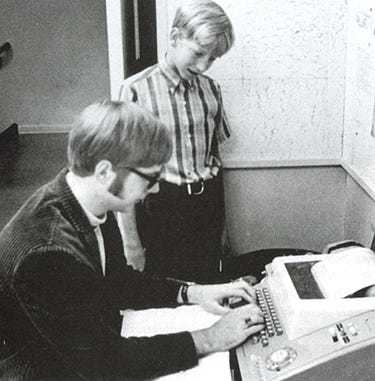
To give you a visual, here are the two friends in those early days.
That little kid? That’s Bill Gates (13) in the 8th grade. The guy at the terminal? Paul Allen (15) as a High Schooler. Photo, taken in 1968, courtesy of Lakeside School, Seattle WA.
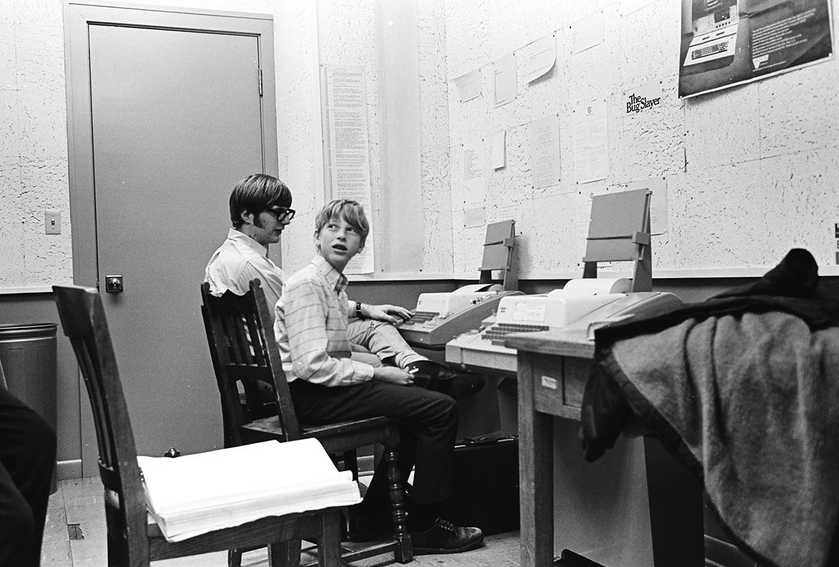
Gates and Allen in 1970 at the Lakeside High School computer club.
In 1972, those two boys (17 and 19 years old) had an idea for a business that just might make them some sweet, sweet moolah. Using computers. Which worked for them. They liked computers.
You see, the Washington State Department of Highways (which was later folded into the Department of Transportation in 1977) regularly counted the amount of traffic on key roads around the greater Seattle area — to optimize traffic flow and whatnot.
This was done by counting the number of axles that rolled across a series of pressure sensitive rubber tubes — then, every 15 minutes, that number would be punched onto a paper tape as a pattern representing a 16 bit number.
Those paper tapes would then be sent to local contractors who would read the data from the tape, write it out, and analyze the information — which would then be sent back to the Department of Highways.
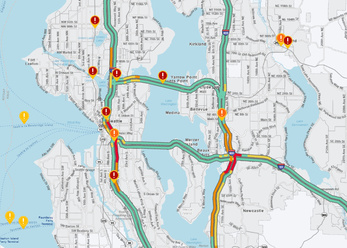
This is the area and roads that traffic was being measured for. The picture shows modern traffic flow. Courtesy: WSDOT.
By Paul Allen’s account, “The process was monotonous, inefficient, and murder on the eyes.”
Gates and Allen created software to analyze the traffic data using a computer at the University of Washington (Allen’s father was a librarian at the University, and both Gates and Allen had used the computers there — via their school computer club — in the past).
What computer did they use?
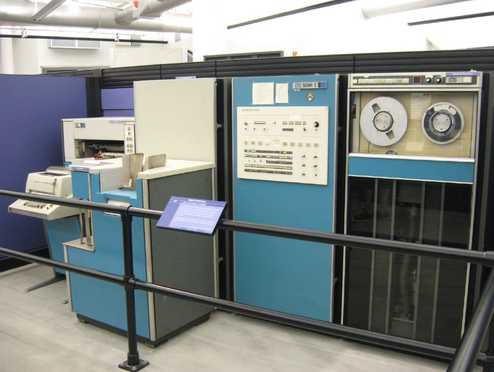
Well, there were two options available to them at that specific time, at the University of Washington. The first option was a Scientific Data Systems Sigma 5 mainframe via a connected teletype terminal.
Fun facts of the SDS Sigma 5:
The base memory was 16K 32-Bit words (equivalent to 64K Bytes) with a maximum memory of 128K words.
The Sigma 5 was the slowest of the Sigma series, and was one of only two models in the Sigma line that had no virtual memory.
The base model sold for $300,000. Want an extra 16K words of memory? That’ll run you an extra $50,000.
An SDS Sigma 5 mainframe. Ain’t she a beauty?
A very cool machine. One that I wouldn’t mind using to decorate my living room.
But… it wasn’t the SDS Sigma 5. (But, hey, great excuse to look at that gorgeous machine, eh?)
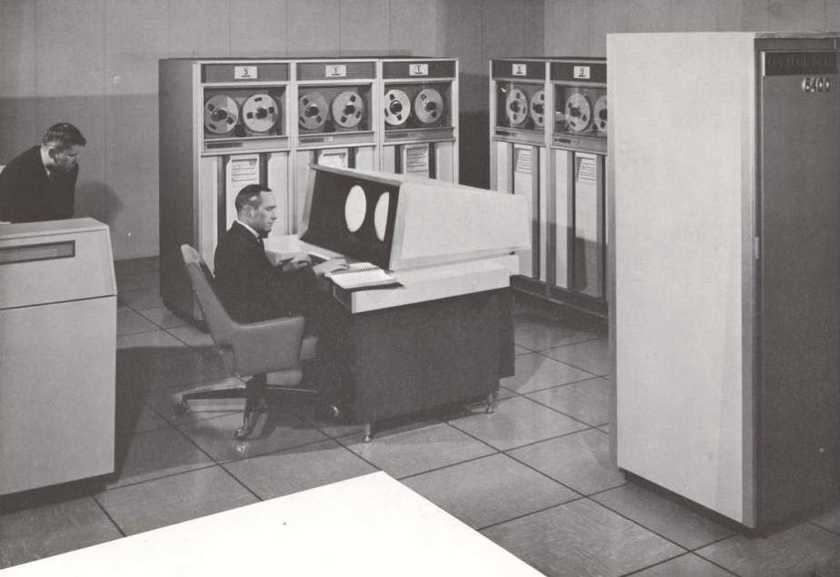
Instead, Gates and Allen were using the CDC (Control Data Corporation) 6400.
Fun facts of the CDC 6400:
10 Mhz 60 bit processor (you read that correctly… 60 bit CPU).
64k of 60-bit core memory (with optional extended memory available).
Optional disk storage, typically around 10 Million “Words”.
Developed by none other than the legendary Seymour Cray. Yes. That Cray. Of Cray Supercomputer.
A CDC 6400 being worked on by some hardcore, late 1960s nerds.
There was just one problem:
The paper tape with the traffic data was a custom solution (storing 16 bits). The computer they had access to couldn’t read that in. (The CDC 6400 supported input via punch cards.)
How did Gates and Allen get around this problem?
They hired some kids.
Not joking.
They hired some of Gates’ fellow High School students to translate the 16 bit traffic data tape to the punch cards. By hand. They paid those kids 50 cents per tape to do the work that the two Microsoft founders really didn’t want to do.
Gates and Allen then fed the cards into the computer, and their custom software would create charts that they could then sell back to the Department of Highways.
Now, the question: How to improve on this system?
Gates and Allen needed to be able to cut out both the need to hire High Schoolers to translate the tapes (child labor just doesn’t scale well for this sort of project)… as well as remove the reliance on the University of Washington computer systems.
What they needed was… a computer of their own. One with a custom tape reader that could handle the traffic data directly.
Remember: This is the early 1970s. You couldn’t just walk down to Best Buy and grab a PC. Computers were so uncommon that people were renting computer time at Universities.
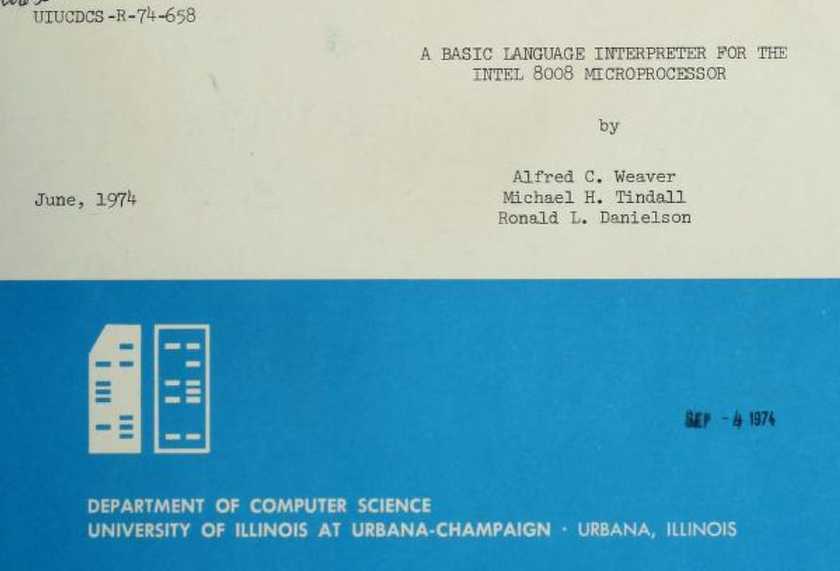
Luckily they found a schematic and instructions, in a computer magazine, on how to build a computer around the recently released Intel 8008 microprocessor — which would work nicely as the base system.
Note: It is unknown in which magazine Gates and Allen found the schematics for an Intel 8008 computer to base the Traf-O-Data system upon. If anyone has this information, I would love to find it and archive it.
Unfortunately, neither Gates nor Allen had any experience with designing hardware or building computers.
Enter: Paul Gilbert.
Gilbert was introduced to Gates and Allen by a mutual friend and he got to work building the Traf-O-Data machine. From parts. Including an 8008 processor purchased for $360 (in 1972 dollars… that’s over $2,500 in 2022 dollars).
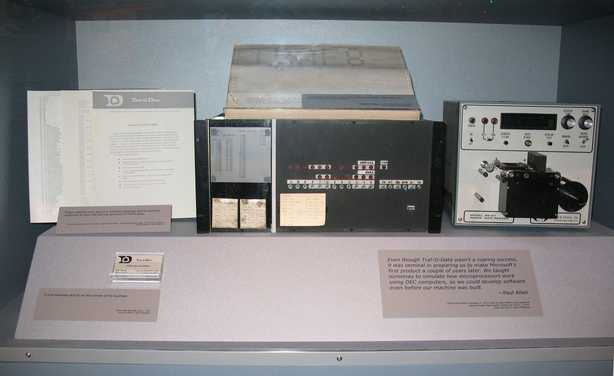
The end result is this beauty:
The Traf-O-Data computer, based on an Intel 8008.
Custom tape reader. Cool blinking lights. An Intel 8008… what’s not to love?
What sort of specs did the Traf-O-Data computer have? A great question! According to Gates:
“[We] took these very tiny Intel memory chips -- I forget if they were 256-bit or 1K-bit, -- I think 1K-bit Intel chips in this 8008 and created a system and we did special software. 8008 wasn't capable of running a BASIC Interpreter. That had always been my Holy Grail because I had played around writing a little bit of a BASIC Interpreter on a PDP-8, and a Data General machine. But the 8008 is basically an 8-bit machine with no programmable stack. Doing this traffic analysis software was pushing the limits.”
Side note: Gates states that the “8008 wasn't capable of running a BASIC Interpreter”.
Is that true?
Gates is correct in the sense that an 8008 is an incredibly limited chip and presents many challenges for creating many pieces of software (including a BASIC interpreter).
Before their custom 8008-based computer was even complete, Gates & Allen got to work building software for this new computer that could read in the tape and create traffic reports. How did they do it? By creating an 8008 simulator on an IBM System/360 — which they also used at the University of Washington.
Simulating an Intel 8008 on an IBM System/360 was apparently not uncommon in those days.
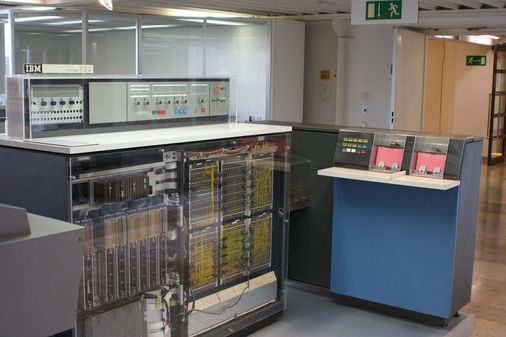
An IBM System/360 Model 20.
Their ultimate goal was to produce and sell these Traf-O-Data computers to government agencies who wanted to automate their traffic data analysis.
Gates and Allen scheduled a time to demo the machine with their first potential client of the computer, King County (where Seattle is located). Unfortunately, according to Gates:
“When the guy from the County that Seattle's in came to see it, it didn't work.”
That’s right.
This was Bill Gates’ very first commercial demo… and his hardware & software didn’t work.
If that isn’t epic foreshadowing, I don’t know what is.
Bill Gates after a Blue Screen of Death during a Windows 98 demo.
In the end, Traf-O-Data managed to net a total of around $20,000 before closing down in 1975… when Gates and Allen formed Micro-Soft with the purpose of developing a BASIC interpreter for the Altair 8800.
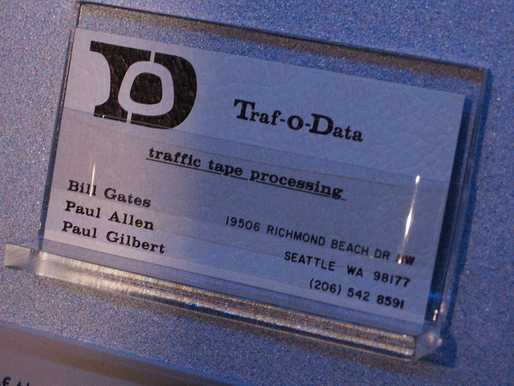
A “Traf-O-Data” business card on display at the New Mexico Museum of Natural History and Science.
The GNOME Foundation is in total meltdown, attacking their own members, along with hardware companies (Framework), Open Source projects (Omarchy, Hyprland, others), and even... JK Rowling and Charlie Kirk?
Ads are filling the entirety of the Web -- websites, podcasts, YouTube videos, etc. -- at an increasing rate. Prices for those ad placements are plummeting. Consumers are desperate to use ad-blockers to make the web palatable. Google (and others) are desperate to break and block ad-blockers. All of which results in... more ads and lower pay for creators.
It's a fascinatingly annoying cycle. And there's only one viable way out of it.
The IMF fears that wavering support for AI investment following years of wild over investment could lead to slowing GDP growth and serious financial problems.
The IMF said that hyperscalers, as the largest data center operators, are “borrowing more and more, while investors have been leveraging to invest in AI stocks.”
It said that circular financing arrangements in the AI sector, involving equity and debt flows between AI firms, suggest that stress at key companies receiving investment could lower revenue forecasts and investment valuations, which in turn would weaken the value of the accumulated debt in those deals.
A huge thank you to everyone who has already contributed (in both ways)! With your help, we are making LCOS into the best gosh darned system in all the land.
Lunduke Lifetime Discount Ends in 1 Day; Zelda, Larry, SQ, & Keen Walls Available
TL;DR: Lifetime Subscription discount ends in one day. There are currently 4 “Lifetime Walls” with space available for more names (the Oregon Trail Wall is now full).
We’ve been running a massive discount on Lunduke Journal Lifetime Subscriptions for the entire months of June and July. And it has been an absolute blast. There are now 21 (twenty-one!) retro computer walls overflowing with your names.
Pure insanity. Huge thank you to everyone who has supported The Lunduke Journal.
But the discounted price only runs through July 31st… and that moment is just about here.
When the calendar ticks over into August (just a hair over 24 hours from now), the Lunduke Journal Lifetime Subscription price goes back to normal.
If the calendar still says it’s July, the Lifetime price is still discounted to $125.
If the calendar says August… the price returns to $300.
There are, as of this exact moment, 4 retro game themed “Lifetime Walls” which still have some space for more names (check Lunduke.com for the full list):
Legend of Zelda
Commander Keen 4
Space Quest 4
Leisure Suit Larry
Grab a discounted Lifetime Subscription (scroll down for the details), then email Lunduke (bryan at lunduke.com) with which Wall you’d like to appear on.
First come, first served. Once a Wall is full, it’s full. So if there’s a specific Wall you’d like to be on, don’t dilly dally.
How to Grab a Discounted Lifetime Subscription:
There are 3 different ways to pick up a Lunduke Journal Lifetime sub. All of them work great. Choose whichever works best for you!
Remember: These discounted prices go back up to normal ($300) on August 1st.
Send $115 worth of Bitcoin (or more) to the following address:
bc1qyjakve8fywm8pz2v99v57yhjj0vzr2vjze6fcq
Email “bryan at lunduke.com” with the following information: What time you made the transaction, how much was sent (in Bitcoin), and the email address you use (or plan to use) on Locals.com or Substack.com.
Oregon Trail, Keen, & Leisure Suit Larry Lifetime Walls
Holy frijoles! There are now 20 (twenty!) Lifetime Subscriber Walls, filled with the names of roughly one bazillion Lunduke Journal supporters.
Just amazing.
Two super quick updates:
The “Desqview/X”, “NeXTSetp”, & “TRS-80 Model 100” Walls are now full! (Check them out on Lunduke.com and at the end of new shows.)
There are 3 new Walls available to put your John Hancock on… and, just for kicks, these ones aren’t from Classic Operating Systems… they’re Classic Games:
Oregon Trail
Commander Keen 4
Leisure Suit Larry
I don’t expect space on these Walls to last long. First come first served.
If you don’t have a Lifetime Sub yet… what in the heckatarnations are you waiting for? The Lifetime Discount only lasts through the end of July (which is roughly one week away).
A huge thank you to all of The Lunduke Journal subscribers. Your support is deeply appreciated. You make this possible.
There are some options. For both subscribing and donating. They're all on this page.
Bonus: At the bottom of this page you will find the invite link to the super-secret Lunduke Journal Discord Chat Server. This is only available for full subscribers, which makes it a nice place to hang out. No riff-raff.
Only for Supporters
To read the rest of this article and access other paid content, you must be a supporter