Lunduke
News • Science & Tech
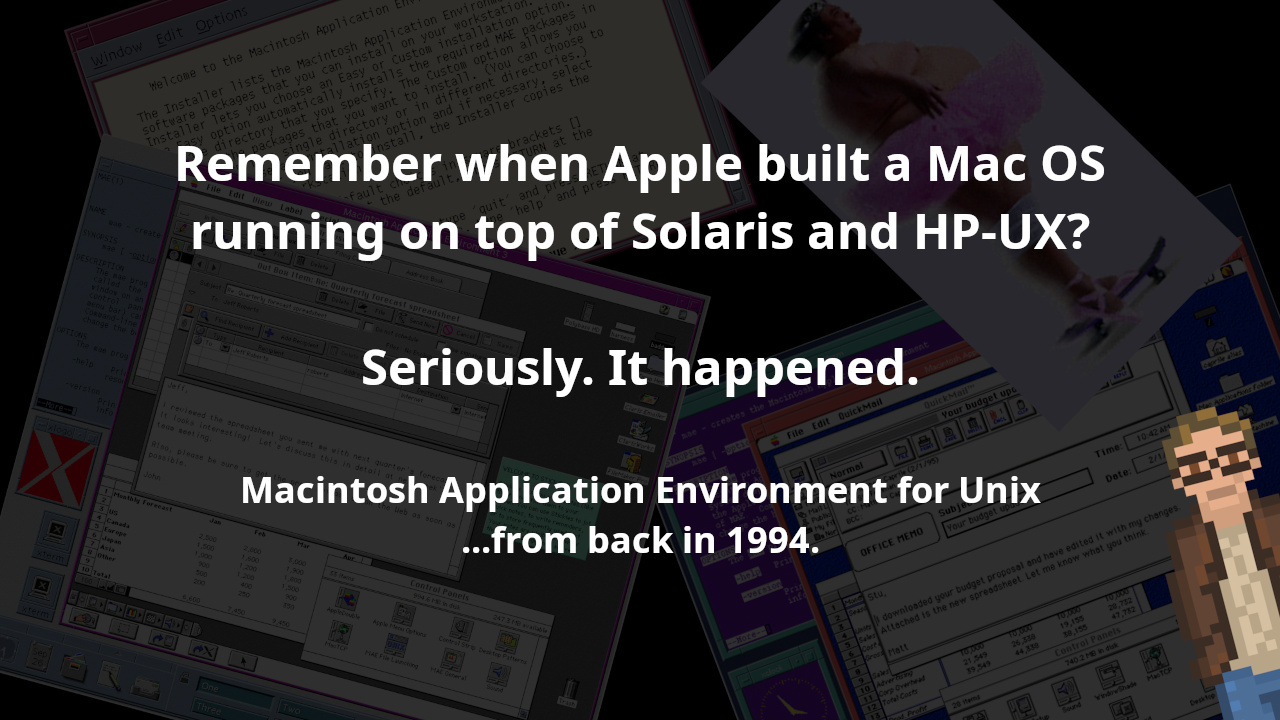
Remember when Apple built a Mac OS running on top of Solaris and HP-UX? Seriously. It happened.
Macintosh Application Environment for Unix -- from back in 1994.
November 01, 2023
post photo preview

In the 1990s, Microsoft developed software (Internet Explorer, Windows Media Player, and Outlook Express) for both Solaris and HP-UX — which brought a small dash of “Windows-y-ness” to UNIX-land.

But did you know that Apple brought the entire Mac System 7 to Solaris and HP-UX?

It’s true! First released in 1994 — and discontinued in 1998 — it was called “Macintosh Application Environment”. And it really-really works!

Note: The “Macintosh Application Environment” is not A/UX, Apple’s UNIX system for some of their 68k Macintoshes. Two totally different beasts. Apple has had a lot of toes in the UNIX waters for quite some time.

If you have a Sun SPARCstation (running Solaris 2.4) or an HP UNIX workstation (HP-UX 9 or 10)… you can run an entire Mac System 7.x instance… right within it’s own X window. With the ability to copy and paste text (and graphics) between Mac applications and UNIX applications.

Check it out. This is the screenshot that Apple, itself, used to promote this crazy beast.
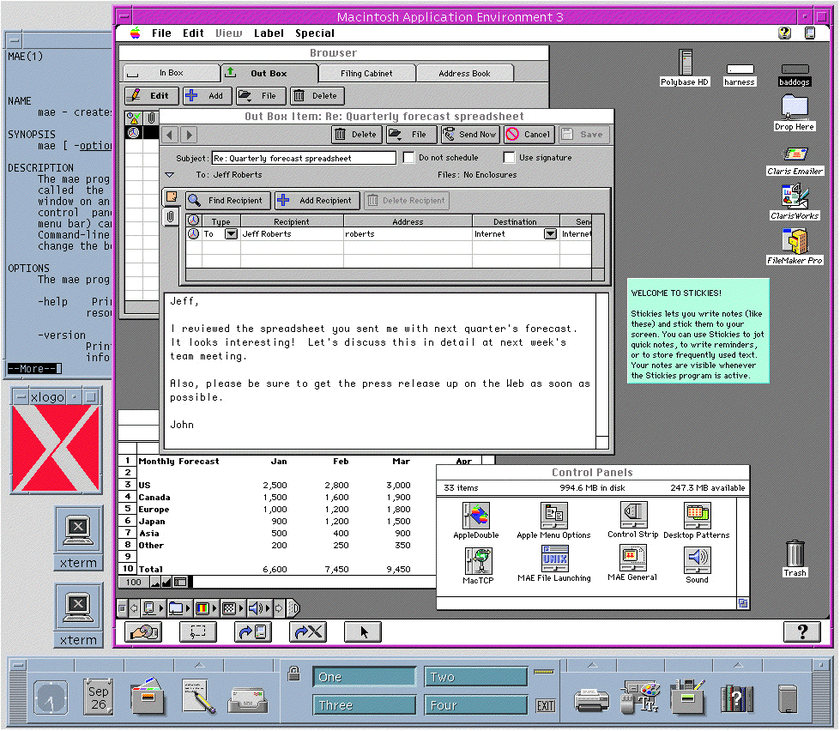
That screenshot is using CDE (Common Desktop Environment), which was de-facto on Solaris and HP-UX back in those days.

But, technically, there’s no reason the Macintosh Application Environment (MAE) can’t be run under other desktop environments on top of either system. In fact, here’s a screenshot of MAE booting on Solaris… running the GNOME desktop.
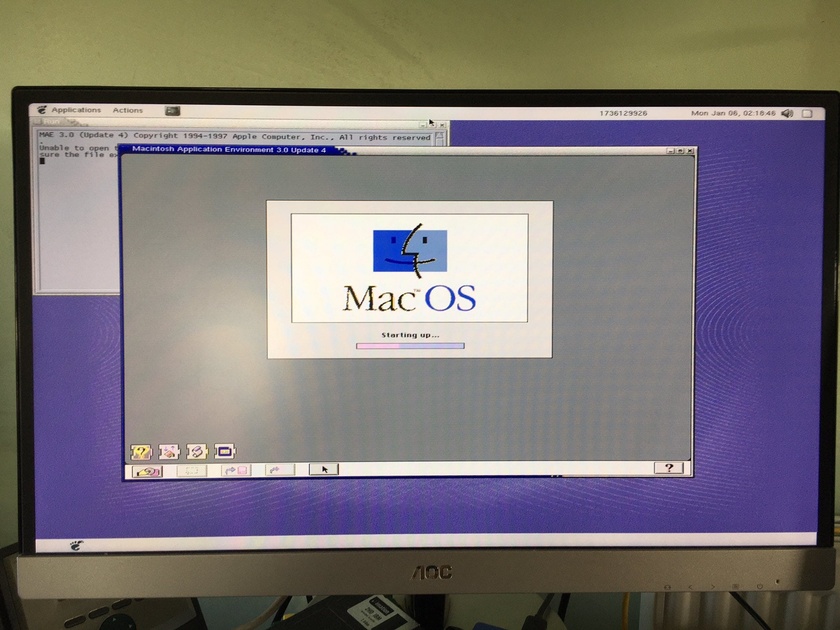
This comes from a recent Twitter thread of someone showing off their SPARCstation… running Macintosh Application Environment. With a bunch of pictures.

Before we go any further… we need to take a detour over to Apple.com.

Not Apple.com nowadays… Apple.com from back when the final version of the Macintosh Application Environment was released — 1997. And, not really “Apple.com”, per se. But “MAE.Apple.com.”

Here — I kid you not — is what that glorious website looked like.
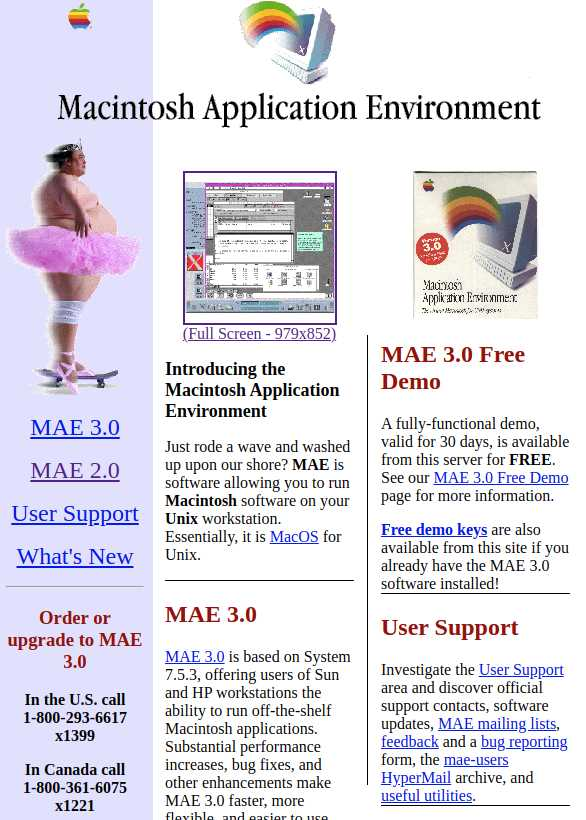
Ok. Seriously. There’s a lot of fascinating information here. How Apple handled the demo version. The prominent 1-800 number listings. But… But… WHAT IN THE WHAT.

Zoom in. Upper left quadrant. ENHANCE!

Holy Sumo wrestler in a tu-tu, Batman!

That, right there, is what we call a decision.

Someone was working on this website at Apple, back in the late 1990s, and was thinking to himself, “I got it. I know just what this website for the Macintosh Application Environment for UNIX needs.”

Powerful stuff.

I was pretty on-the-fence about this whole MacOS-on-UNIX thing. But then I saw this sumo wrestler. In a tutu. Wearing a tiara. And, well, that really — Holy cow, is he on a skateboard? Yep. He’s on a skateboard.

Well. That settles it. This is the coolest thing to grace Apple.com. Ever.

*ahem* Where were we? Ah. Yes.

So. How does all this work?

Is it a virtual machine? Yes. Yes it is. Mostly.
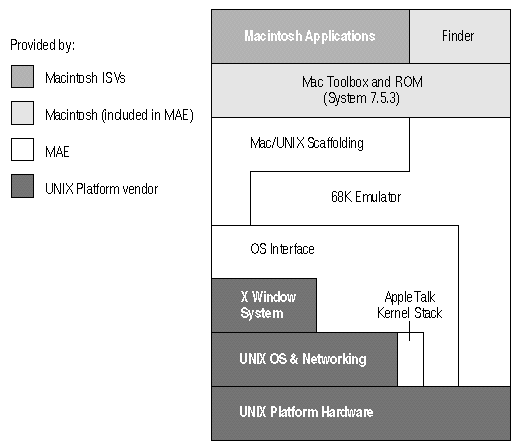
Courtesy the MAE 3.0 Whitepaper

It is, essentially, a 68040 emulator with a Mac ROM and System 7.5.3 sitting on top of it. Though, it’s performance — thanks partially, I think, to that wonderfully named “Mac/UNIX Scaffolding” chunk there in the middle — was quite reasonable.

Side Note: I worked for HP back in the late ‘90s, supporting HP-UX and other UNIX workstations. Only ever saw one machine with the MAE in use. But I recall thinking that it wasn’t the fastest Macintosh you could use at the time… but it wasn’t the slowest, either. Which I found impressive.

This system, by the end, was pretty doggone powerful. You could copy/paste between the Mac “virtual machine”…. and UNIX software. And you could access all of your UNIX partitions from the Mac side.

Thanks… you know… to the “scaffolding”.
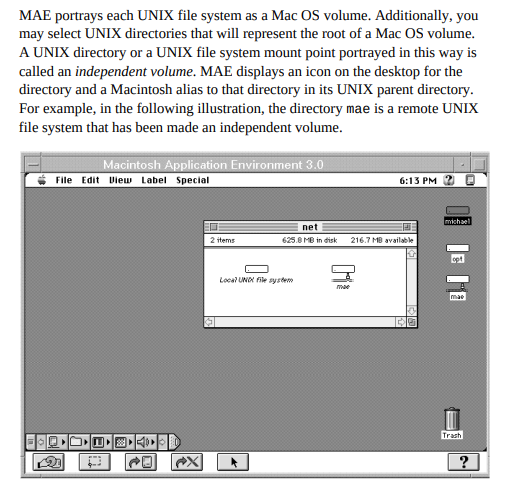
From the Macintosh Application Environment Administrator’s Manual. (Thanks Archive.org!)

Note the toolbar along the bottom to provide some extra UNIX integration features.
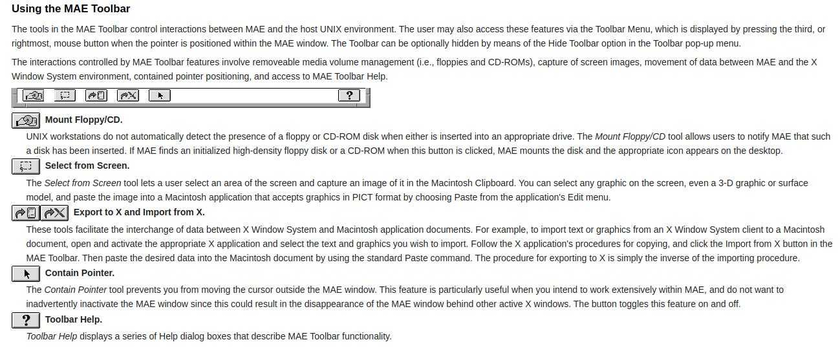
Snippet from the MAE 3.0 Whitepaper

Oh! And check out the detailed breakdown of memory usage.
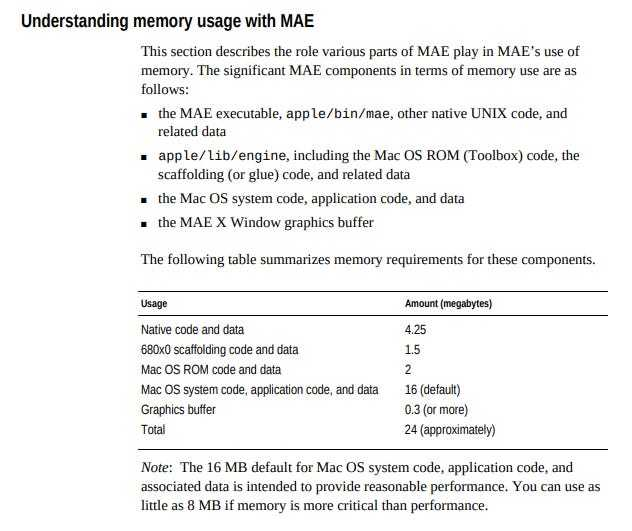
How awesome would it be if software nowadays shipped with details about memory usage like that? “We use this many MB for this code over here… and another X MBs for the graphics buffers…”

That should be a thing!

Also… Only 24 MB of RAM! Total! Ah, those were the days! The 90s were awesome.

Supposedly even AppleTalk works, at least according to the User Manual (which is different than the Administrator’s manual).

Installing MAE was a decidedly old-school, UNIX-y affair. All in the terminal, baby!
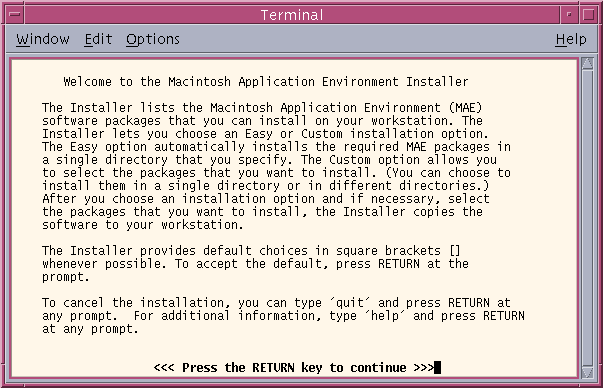
Screenshot courtesy of this archived website.

And here’s the About screen for the demo version of the very first release:
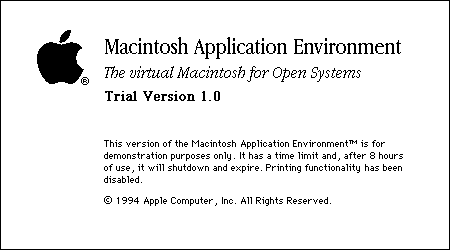
”The virtual Macintosh for Open Systems”… love that.
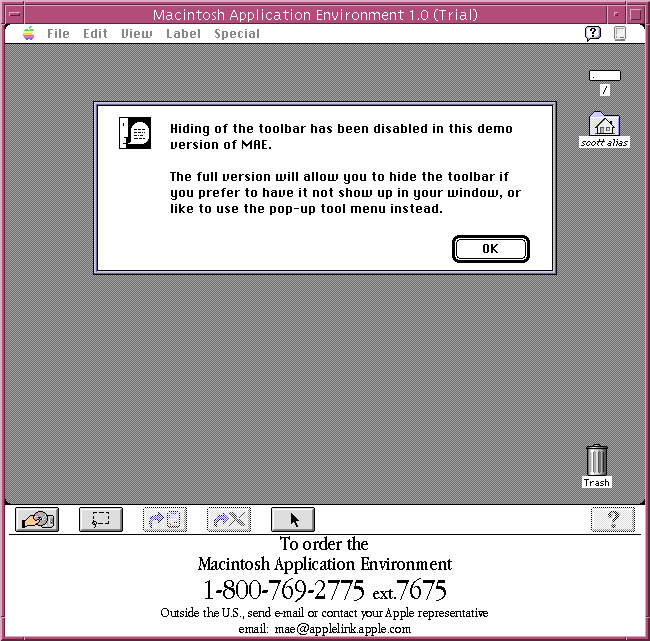
A screenshot of the trial version… because it amuses me. That HUGE 1-800 banner along the bottom of the window. It just takes up so much space. And simply seeing a 1-800 on screen, in an application window, is almost jarring. You just don’t expect to see that anymore.
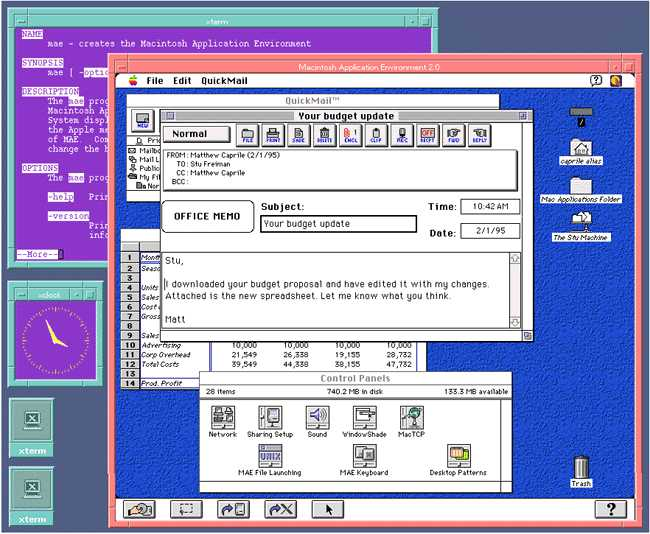
MAE 2.0 screenshot which I found over here.

You know. Worth pondering on… This was 1994. In context, here are other things that came to pass in 1994:

  • Linux hit version 1.0.

  • Windows 95… was not out yet.

The idea of being able to run a SPARCstation or HP-UX box… and have a full Mac inside it (essentially)… during a time dominated by Windows 3.1… sounds pretty darned amazing.

Oh. Oh! Check this out.
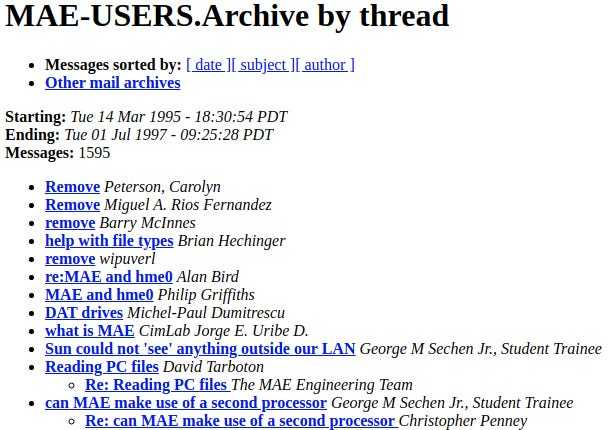
There was a time when Apple has email mailing lists. That is the MAE User list. And Apple published the archives for people to search. I tell ya. Was a different time at Apple.

A couple final, parting thoughts:

  • This is Apple making, selling, and supporting running a version of the Mac operating system… on non-Apple hardware.  Even hosted on non-Apple software!

  • That sumo wrestler in the tutu.  That... that is something.

community logo
Join the Lunduke Community
To read more articles like this, sign up and join my community today
6
What else you may like…
Videos
Podcasts
Posts
Articles
Anti-ICE Activists Mistake Programmers for ICE Agents

A few software engineers were having lunch at a deli in Minneapolis. Leftist activists thought, because they were all white, fit males, that they must be ICE agents. They used Signal to organize a mob.

$89 Lifetime Lunduke Journal Subscriptions all January:
https://lunduke.substack.com/p/89-lifetime-lunduke-journal-subscriptions-c1b

More from The Lunduke Journal:
https://lunduke.com/

00:06:16
ICANN: "Make Lunduke Angry, Program in Rust"

The Internet Corporation for Assigned Names and Numbers (ICANN), the $150 Million / Year corporation which manages IP addresses and Top Level Domains, has a new goal: "Make Lunduke Angry".

$89 Lifetime Lunduke Journal Subscriptions all January:
https://lunduke.substack.com/p/89-lifetime-lunduke-journal-subscriptions-c1b

More from The Lunduke Journal:
https://lunduke.com/

00:06:08
January 18, 2026
CreepyLink.com: URL Shortener That Makes Links Look Suspicious
00:05:38
November 22, 2023
The futility of Ad-Blockers

Ads are filling the entirety of the Web -- websites, podcasts, YouTube videos, etc. -- at an increasing rate. Prices for those ad placements are plummeting. Consumers are desperate to use ad-blockers to make the web palatable. Google (and others) are desperate to break and block ad-blockers. All of which results in... more ads and lower pay for creators.

It's a fascinatingly annoying cycle. And there's only one viable way out of it.

Looking for the Podcast RSS feed or other links? Check here:
https://lunduke.locals.com/post/4619051/lunduke-journal-link-central-tm

Give the gift of The Lunduke Journal:
https://lunduke.locals.com/post/4898317/give-the-gift-of-the-lunduke-journal

The futility of Ad-Blockers
November 21, 2023
openSUSE says "No Lunduke allowed!"

Those in power with openSUSE make it clear they will not allow me anywhere near anything related to the openSUSE project. Ever. For any reason.

Well, that settles that, then! Guess I won't be contributing to openSUSE! 🤣

Looking for the Podcast RSS feed or other links?
https://lunduke.locals.com/post/4619051/lunduke-journal-link-central-tm

Give the gift of The Lunduke Journal:
https://lunduke.locals.com/post/4898317/give-the-gift-of-the-lunduke-journal

openSUSE says "No Lunduke allowed!"
September 13, 2023
"Andreas Kling creator of Serenity OS & Ladybird Web Browser" - Lunduke’s Big Tech Show - September 13th, 2023 - Ep 044

This episode is free for all to enjoy and share.

Be sure to subscribe here at Lunduke.Locals.com to get all shows & articles (including interviews with other amazing nerds).

"Andreas Kling creator of Serenity OS & Ladybird Web Browser" - Lunduke’s Big Tech Show - September 13th, 2023 - Ep 044
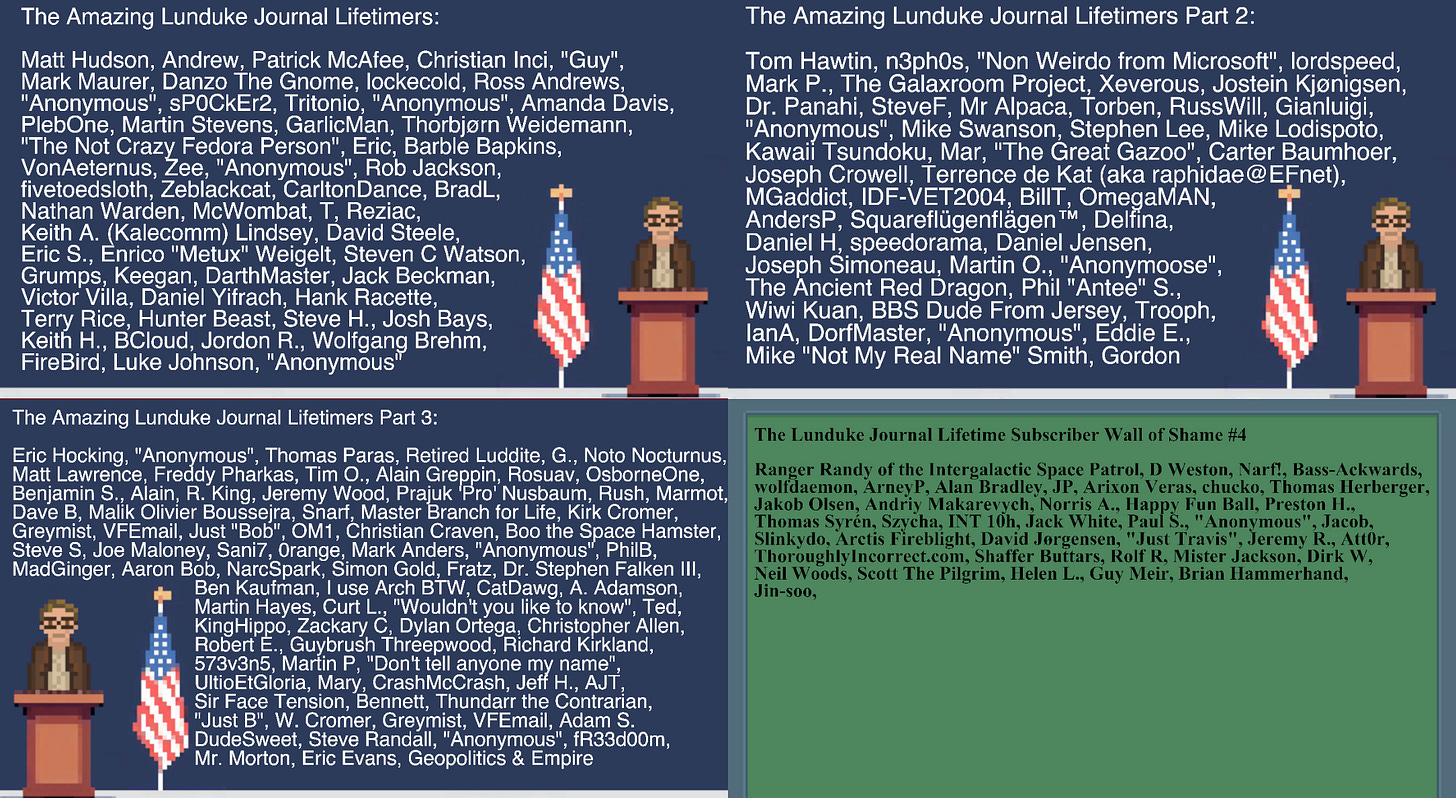
Lifetime Subscriber Wall 4!

And it has a fancy-shmancy new background! Pulled from the "PDA Screen" I use in a bunch of my comics.

This 4th wall is going to fill up fast.

If you want to get your name on it, and you're already a Lifetime Subscriber, email me now. bryan at lunduke.com.

If you're not a Lifetime Subscriber yet, grab one now while they're nice and cheap:

https://lunduke.substack.com/p/89-lifetime-lunduke-journal-subscriptions-c1b

... Then, after you get a confirmation email, reply and tell me you want to be on the wall!

post photo preview

Walk through of an app and custom data set that only exist because GenAI lowered the time barrier

https://app.screencast.com/zqW0JkjJY0M4L

What was created:

  • Lesson plan tailored to my friends industry
  • Links added to the lesson plan for tutorials
  • Industry specific stories
  • Custom data architecture to support those stories
  • Realistic test data specific to the industry to bring the stories to life
  • Code that generated the test data
  • A web app with 6 pages of kpi's, charts and graphs that his PowerBI work can be compared to

My Time - 2 to 3 hours.

  • I used this project to teach myself Ralph Wiggum agentic loop so I subtracted the effort that was just me learning.

What I didn't do:

  • did not write one line of code
  • did not review the code

What I did to:

  • the entire concept from beginning to end was mine
  • the goals were mine
  • the specifications were mine
  • worked with the AI on strategy, and architecture
  • Stepped in during the debugging phase to help the AI ...

@Lunduke - your last couple posts reminded me of something: you said something about making your website look old-school. Like we're talkin', my very first computer, late 90s, animated GIFs and Netscape and Geocities old school. That would be super cool, and I've been seriously considering redoing my website in that style too.

But so much of the HTML from back then probably wouldn't even run on modern browsers. Like remember "bgsound"? Yeah, not repeating that mess, be it with <audio> tags or whatever. Or how about frames? Not iframes, mind you, just frames. Or font tags. Or.. well, one thing I don't miss from those days, layout tables, are still totally doable... but idk, I kind of feel like "monkeying around on the internet" by doing that. Sounds like a lot of fun... but also harder than it would have to be. What would building an old-school website look like in 2025? I see two paths:

January 16, 2026
Lunduke Journal Week In Review - Jan 16th, 2025

Whew! It’s been another wild week for Tech News!

Here’s a crazy stat for ya:

We are currently 16 days into 2026, and The Lunduke Journal has already recorded 19 shows (17 of which have been published on every platform, and 2 others to be published this weekend everywhere… but are already available via the MP4 download page). And that’s with taking New Year’s Day off (and getting the flu this week).

It’s a heck of a lot of Tech News, to be sure.

Lunduke’s Top Stories for the Week

If you only have time to watch a few of shows, I recommend these 3 as being the most interesting (or important… or just… strange) from the last week:

In other words: A pretty gosh-darned crazy week for Linux.

(Those links are to Lunduke.Substack.com, but you can watch all of those shows on any other platform. As always.)

Other Tidbits of Awesomeness

A few other notes on this, most excellent, Friday!

And, with that, I leave you with a screenshot of the MP4 listing of the shows so far in 2026. Bonkers.


-Lunduke

Read full Article
January 14, 2026
Lunduke's Lifetime Subscriber Wall 3 is almost full!

Holy moly.

This afternoon I sat down to update the 3rd Lunduke Journal Lifetime Subscriber wall — adding in all of you who sent in requests over the last week or so.

And, boy howdy, were there a lot of you! So many, in fact, that the 3rd Lifetime Wall only has room for around 6 or 7 more names (depending on the name lengths)! That’s crazy!

If you want to make it onto “The Lunduke Journal Lifetime Subscriber” Wall number 3… send me an email (bryan at lunduke.com) with the way you would like your name to be displayed.

Or, if you’re not already a Lifetime Subscriber, remedy that for $89. (Which, you know, is a pretty gosh darned good value.) … Then send me that email requesting to be added to the wall.

Once Wall 3 is full, we’ll start in on Wall number 4 (that’s nuts). At the current rate, I expect Wall 4 to debut this week.

And, as always, thank you for your support. Whatever kind of subscription you have, it is deeply appreciated. Monthly, Yearly, or Lifetime. All are amazing. You make The Lunduke Journal possible.

You rule.

-Lunduke

 
Read full Article
January 13, 2026
Lunduke Out Sick Tomorrow

I’ve got the flu (or something else yucky) and need to take the day off tomorrow.

But I don’t really have a normal “boss” to email. Heck, all of you are sort of like my collective boss.

So I’m emailing you:

Boss, *cough cough* Lunduke is out sick tomorrow.

Which means no new shows on Wednesday. Hoping to rest up and be back with new shows on Thursday.

If you’ve missed any shows over the last few weeks, now’s a good chance to catch up.

And feel free to grab one of those fancy-shmancy $89 Lifetime Subscriptions while you’re at it. That won’t make my flu go away any faster… but it definitely won’t hurt.

Unrelated note: Buying stock in Nyquil might not be a bad idea. I think I’m about to increase their profits.

-Lunduke

Read full Article
See More
Available on mobile and TV devices
google store google store app store app store
google store google store app tv store app tv store amazon store amazon store roku store roku store
Powered by Locals