Lunduke
News • Science & Tech
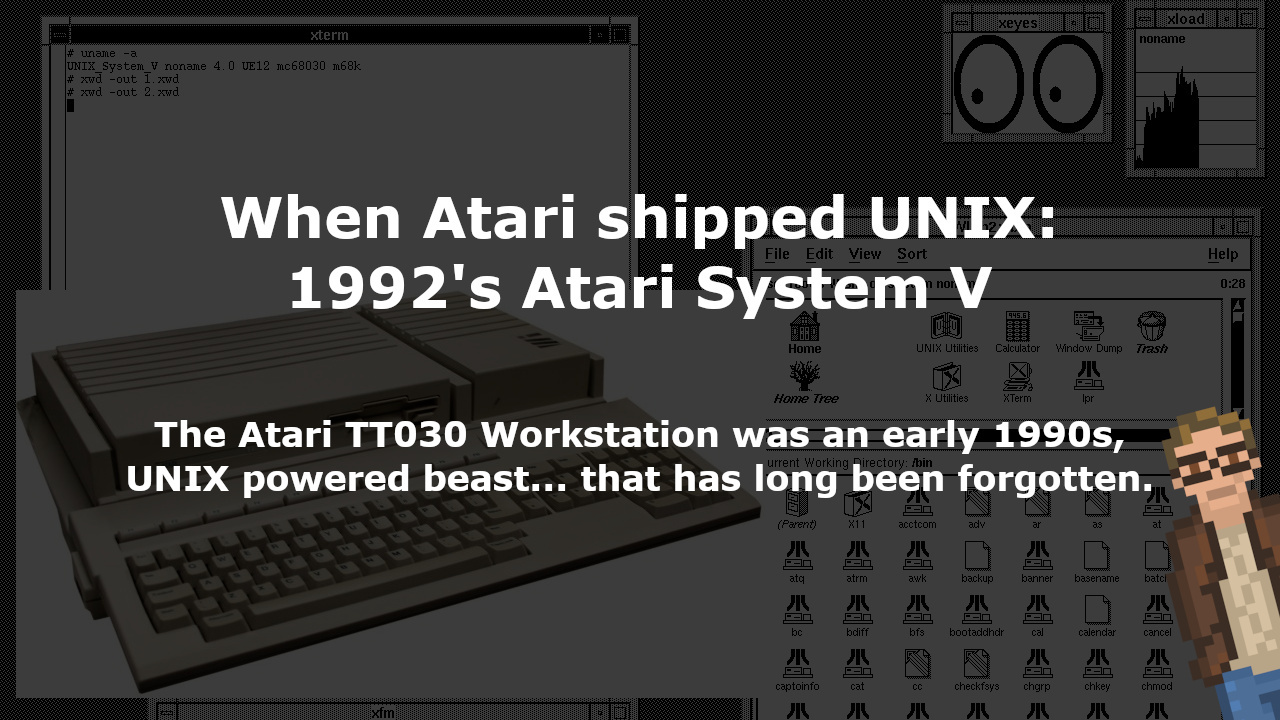
When Atari shipped UNIX: 1992's Atari System V
The Atari TT030 Workstation was an early 1990s, UNIX powered beast... that has long been forgotten.
September 10, 2023
post photo preview

Back in 1990, Atari released the TT030 workstation.

It was a beastly machine. Powered by a 68030 CPU at 32 MHz. A dedicated FPU. Two different types of RAM - System RAM (up to 10 MB) and TT RAM (up to 256 MB). A 3.5” floppy, a 50 MB hard drive, SCSI, MIDI, VGA, RS-232 (four of ‘em). And a resolution of up to 1280×960 (monochrome) or 320×480 (256 colors).

In 1990. This was one seriously powerful rig.
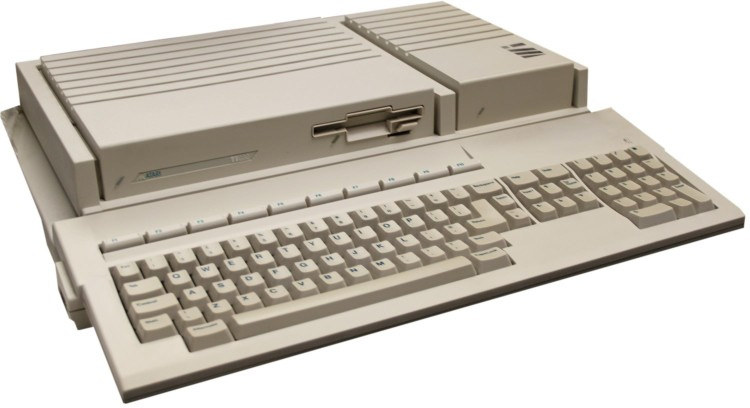
Originally the TT030 shipped with a version of Atari TOS.

AtariTOS is a fork of GEM. Learn more about GEM (and Atari TOS and Multi TOS) in “Looking at 1980's GEM in 2021”. It is a fascinating system.

But, by 1992, a variant of the TT030 (known as the TT/X) shipped with a full blown UNIX operating system: Atari System V
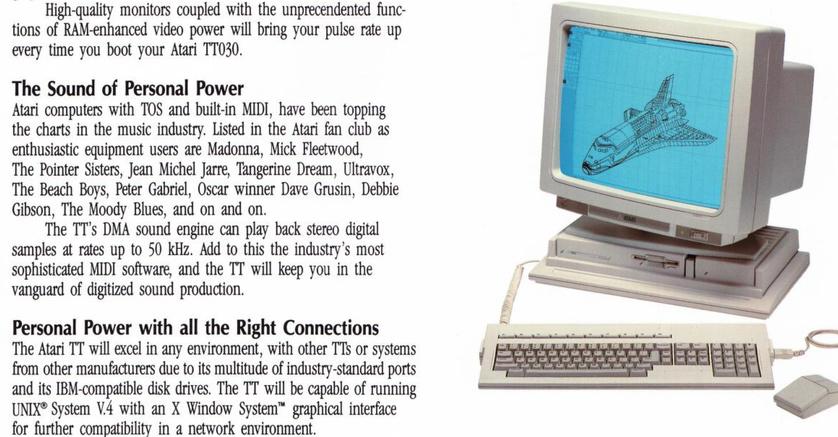
From the official Atari TT030 brochure

So what did a UNIX System V look like on an Atari? Well. It looked like this:
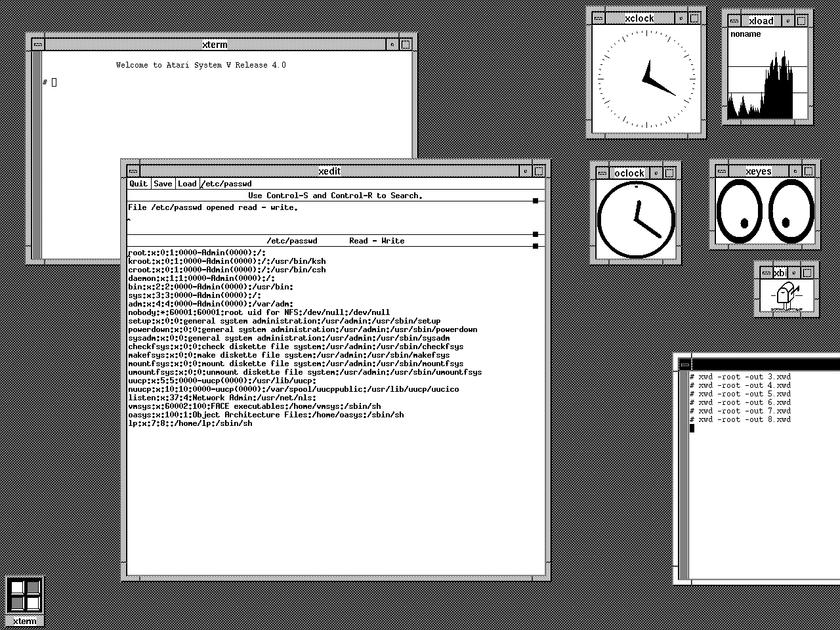
Screenshot courtesy of AtariUNIX.com

For the modern day UNIX (and Linux, etc.) users out there… this is going to look immediately familiar. A nice little xterm shell, xedit, even good old xeyes.

You can find a full listing of the packages included in Atari System V developer pre-release release notes. Which include, you’ll note, X-Windows, Motif window manager, and a complement of GNU compilers and build tools
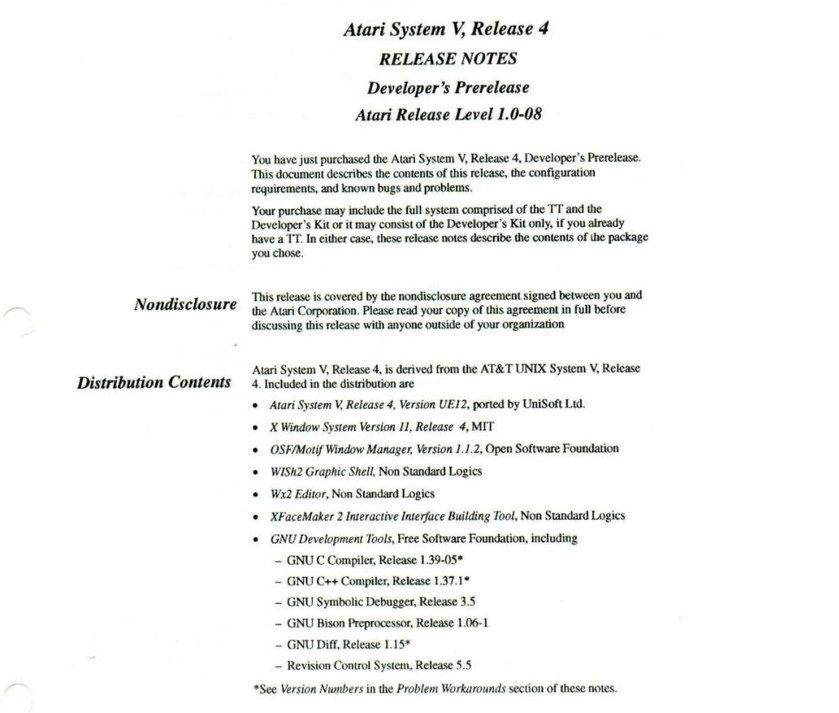
The Atari System V Developer Prerelease notes courtesy of Archive.org

An Atari TT030 workstation could dual-boot both TOS and Atari System V UNIX. System V even included a graphical tool to select the preferred operating system to boot.
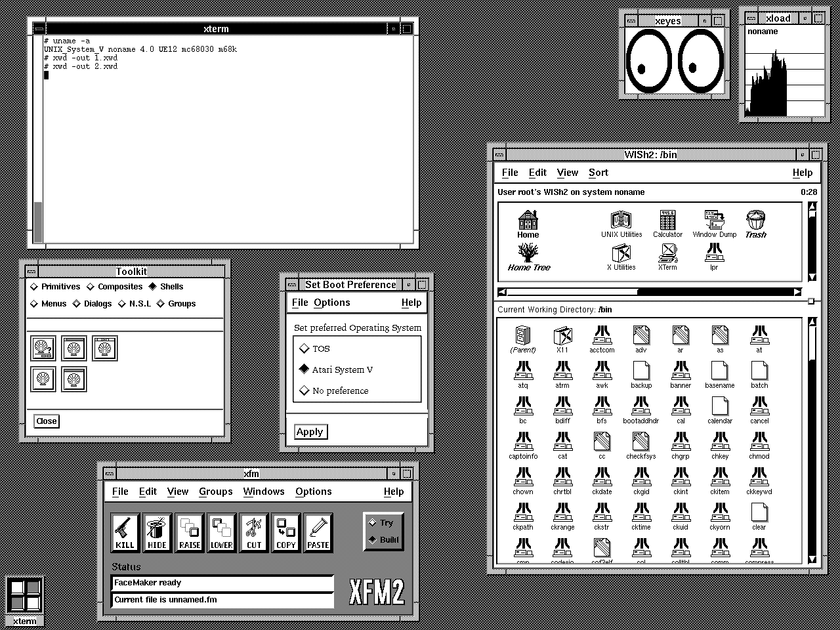
Screenshot courtesy of AtariUNIX.com

When Atari System V shipped in 1992… this is the box it came in…
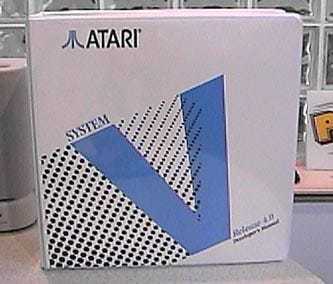
The Atari System V box (courtesy of AtariUNIX.com)

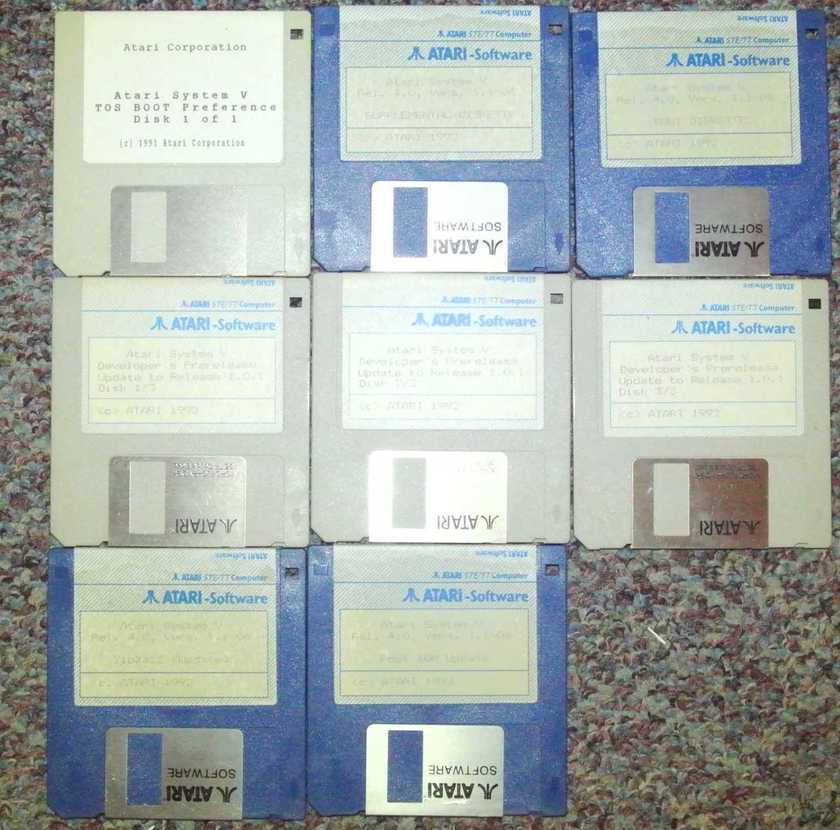
And the floppies it installed from…

A version of NCSA Mosaic was even ported. Which means the early web is accessible from an Atari TT030.
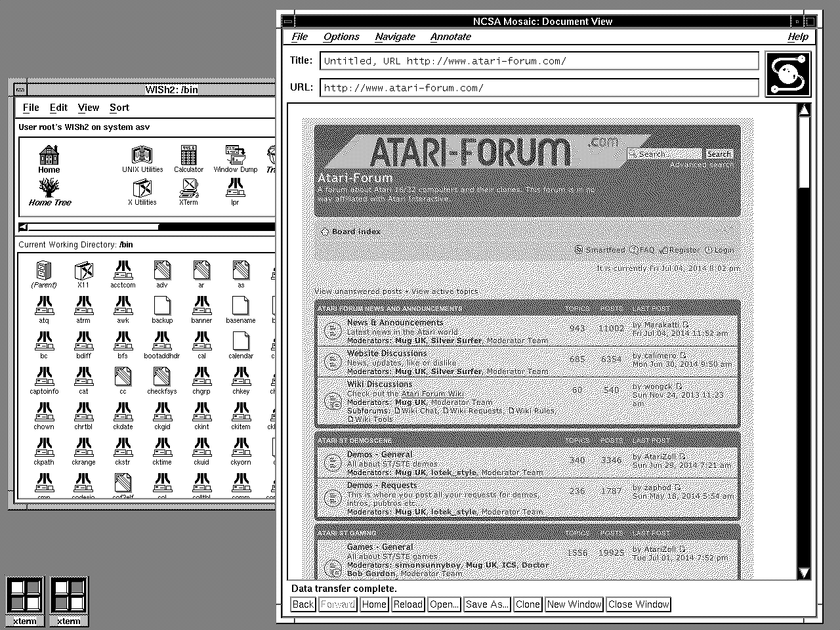
AtariUNIX.com hosts a small collection of software ports (including Mosaic). As well as some disc images for Atari System V, MINIX, and Net BSD for the TT030.

Neither the TT030, nor the Atari port of System V, saw much success. The TT030 workstation was abandoned in favor of the, more consumer focused, Atari Falcon. And, rather quickly, Atari’s adventures into the land of UNIX were forgotten by almost all.

It was, just the same, an incredibly powerful OS, backed up by what was (for the time) one heck of a machine.

What could have happened in the workstation space had Atari seen some additional success in the market? Could Atari have effectively competed against SGI, SUN, HP and the rest of the UNIX workstation crowd?

It certainly would have been interesting to see.

community logo
Join the Lunduke Community
To read more articles like this, sign up and join my community today
3
What else you may like…
Videos
Podcasts
Posts
Articles
XLibre 25.1 - The Future of X11 Adds New Platforms, New Features

The latest release of the Xorg fork, clocking in at over 1,500 commits, adds support for FreeBSD, NetBSD, Win32, & Dragonfly BSD. Plus systemd-free seat management & more.

More from The Lunduke Journal:
https://lunduke.com/

00:21:03
December 18, 2025
NeoFetch But in Rust and More Gay

HyFetch, a Rust re-write of the discontinued NeoFetch, asks users to choose their flag (Trans, GenderFluid, FemBoy, etc.) at first launch. Becomes defacto on several Linux distros.

More from The Lunduke Journal:
https://lunduke.com/

00:22:28
December 17, 2025
Memory Corruption Vulnerability in Linux "Memory Safe" Rust Code

Rust programmers re-wrote a portion of the Linux kernel in Rust. That Rust code had a crashing vulnerability in an "unsafe" chunk of code... which Linux is littered with.

More from The Lunduke Journal:
https://lunduke.com/

00:18:23
November 22, 2023
The futility of Ad-Blockers

Ads are filling the entirety of the Web -- websites, podcasts, YouTube videos, etc. -- at an increasing rate. Prices for those ad placements are plummeting. Consumers are desperate to use ad-blockers to make the web palatable. Google (and others) are desperate to break and block ad-blockers. All of which results in... more ads and lower pay for creators.

It's a fascinatingly annoying cycle. And there's only one viable way out of it.

Looking for the Podcast RSS feed or other links? Check here:
https://lunduke.locals.com/post/4619051/lunduke-journal-link-central-tm

Give the gift of The Lunduke Journal:
https://lunduke.locals.com/post/4898317/give-the-gift-of-the-lunduke-journal

The futility of Ad-Blockers
November 21, 2023
openSUSE says "No Lunduke allowed!"

Those in power with openSUSE make it clear they will not allow me anywhere near anything related to the openSUSE project. Ever. For any reason.

Well, that settles that, then! Guess I won't be contributing to openSUSE! 🤣

Looking for the Podcast RSS feed or other links?
https://lunduke.locals.com/post/4619051/lunduke-journal-link-central-tm

Give the gift of The Lunduke Journal:
https://lunduke.locals.com/post/4898317/give-the-gift-of-the-lunduke-journal

openSUSE says "No Lunduke allowed!"
September 13, 2023
"Andreas Kling creator of Serenity OS & Ladybird Web Browser" - Lunduke’s Big Tech Show - September 13th, 2023 - Ep 044

This episode is free for all to enjoy and share.

Be sure to subscribe here at Lunduke.Locals.com to get all shows & articles (including interviews with other amazing nerds).

"Andreas Kling creator of Serenity OS & Ladybird Web Browser" - Lunduke’s Big Tech Show - September 13th, 2023 - Ep 044
December 21, 2025
Lunduke's Nerdy Q&A, Lifetime Sub for $89

Two quick tidbits on this glorious Sunday:

Reminder: $89 Lifetime Subscriptions

Lifetime Subscriptions to The Lunduke Journal are currently discounted to $89. For life. Which is… insane. That’s less than 1/3rd of the regular price.

Monthly and Yearly subscriptions are 50% off. Which is also pretty darned snazzy.

Submit Questions for Lunduke’s Nerdy Q&A!

On Tuesday I will be recording a long-overdue episode of “Lunduke’s Nerdy Q&A”.

Got questions you’d like asked in the show? No guarantees, but I’ll get to as many as I can!

Retro computing. Current computer news. Ridiculous hypotheticals. Any question is fair game... just make sure it’s good and nerdy.

To make it simple for me, there are two ways you can submit questions for this week’s Q&A:

  1. Add a comment to this thread on Forum.Lunduke.com.

  2. Reply to this thread over on X.

  3. Ok. I lied.  There are three ways.  You can also reply to this post, right here, on Locals.

Note: Only Lunduke Journal subscribers can access to Forum.Lunduke.com. All of the details on how to gain access are on the Lunduke Journal Subscriber Perks page.

-Lunduke

Read full Article
December 17, 2025
The FOMO of not having a Lifetime Subscription to The Lunduke Journal

Time for some Fun Lunduke Journal Facts of Fact-ly-ness!

  1. The “per-month” cost of a Lifetime Subscription to The Lunduke Journal is an asymptotic line. The longer you have that subscription, the closer it gets to $0.00.

  2. The Lifetime Subscription was first introduced 3 1/2 years ago… and is still going strong.

  3. The price of a Lifetime Subscription is currently discounted to $89. For life. That’s less than 1/3rd the normal price.

The earlier you pick one up, the quicker that asymptotic line begins approaching zero. Which is fun.

We Don’t Have Time Machines

If you think you might ever want a Lifetime Subscription, now is the time.

Imagine missing this discounted price and missing out on months of, mathematically certain, asymptotic line fun. This is one of those scenarios where Future You (tm) would want to travel back in time to tell Present You (tm) to snag a Lifetime Subscription.

Go. Grab the Lifetime Subscription for $89. That deal is good all December long.

There’s a video of me yammering about it too. Just for good measure.

You’re welcome.

-Lunduke

Read full Article
December 13, 2025
Lunduke Journal Lifetime Wall 2 almost full, plus Lifetime Sub as a gift

Two quick tidbits!

First: Lifetime Wall 2 Almost Full

The 2nd Lunduke Journal Lifetime Subscriber Wall of Shame… err… I mean “Wall of Awesomeness” (which shows at the end of each video) is almost full! Holy cow! So many people have signed up over the last few days and asked to be added! Awesome!

There’s room for maybe 3 or 4 more names on there before I need to start Wall Number 3. So if you want to be on the 2nd wall, grab a Lifetime Sub quickly. (Though, really, being on the 3rd wall will be cool too.)

Plus, hey! You can snag one for $89 this month. Which is pretty sweet.

Second: Sending a Lifetime Sub as a Gift

Several of you have asked if it’s possible to send someone a Lifetime Subscription as a gift (at the discounted $89 / $99 price).

The answer is yes! And, instead of sending instructions to each of you, individually, I am including a Step-by-Step rundown on how to send someone a Lunduke Journal Lifetime Sub as a gift.

There are two options — Locals & Bitcoin — and both work equally well.

(Note: A gifted Lifetime subscription can also be applied to Substack accounts… it just can’t be purchased via Substack because of the way the system works for gifting it to another person.)

How to give a gift Lifetime Subscription via Locals:

  1. Go to Lunduke.Locals.com/support.

  2. Select “Give Once“.

  3. Enter “99“ (or more) into the amount field.

  4. Email “bryan at lunduke.com”. Include the following in that email:

    1. Have the words “Gift Sub” somewhere in the subject line.

    2. Include the email you used to make the purchase and the email address of gift recipient.

    3. Include any special instructions or requests, such as: A special message you would like included, when you would like an email sent to the recipient, or if you would prefer to let the recipient know yourself.

  5. Lunduke will send you a confirmation email after that. This usually happens within a few hours.

How to get a Lifetime Subscription with Bitcoin:

You can also send a gift Lifetime Subscription via Bitcoin.  (And it's $10 cheaper thanks to the lower processing fees of Bitcoin.)

  • Send $89 worth of Bitcoin (or more) to the following address:

bc1qyjakve8fywm8pz2v99v57yhjj0vzr2vjze6fcq

  • Email “bryan at lunduke.com”. Include the following in that email:

    1. What time you made the transaction, & how much was sent (in Bitcoin).

    2. Have the words “Gift Sub” somewhere in the subject line.

    3. Include the email address of gift recipient.

    4. Include any special instructions or requests, such as: A special message you would like included, when you would like an email sent to the recipient, or if you would prefer to let the recipient know yourself.

  • Lunduke will send you a confirmation email after that. This usually happens within a few hours.

Note: The Lifetime Subscription only applies to Substack, Locals, and the Lunduke Journal Forum. Other platforms (such as X, Patreon, & YouTube) do not provide the functionality necessary to create Lifetime Subscriptions.

Read full Article
See More
Available on mobile and TV devices
google store google store app store app store
google store google store app tv store app tv store amazon store amazon store roku store roku store
Powered by Locals